
October 20, 2026 · 6 min read
White on white product photography: how to keep the edges
A white product on a white background is the hardest shot in product photography, because the thing that makes the background clean is the thing that erases the product's edges. How to light it, how to keep the outline, and the pixel values to check before you upload.
By Smit Golakiya · Founder, BrandShots
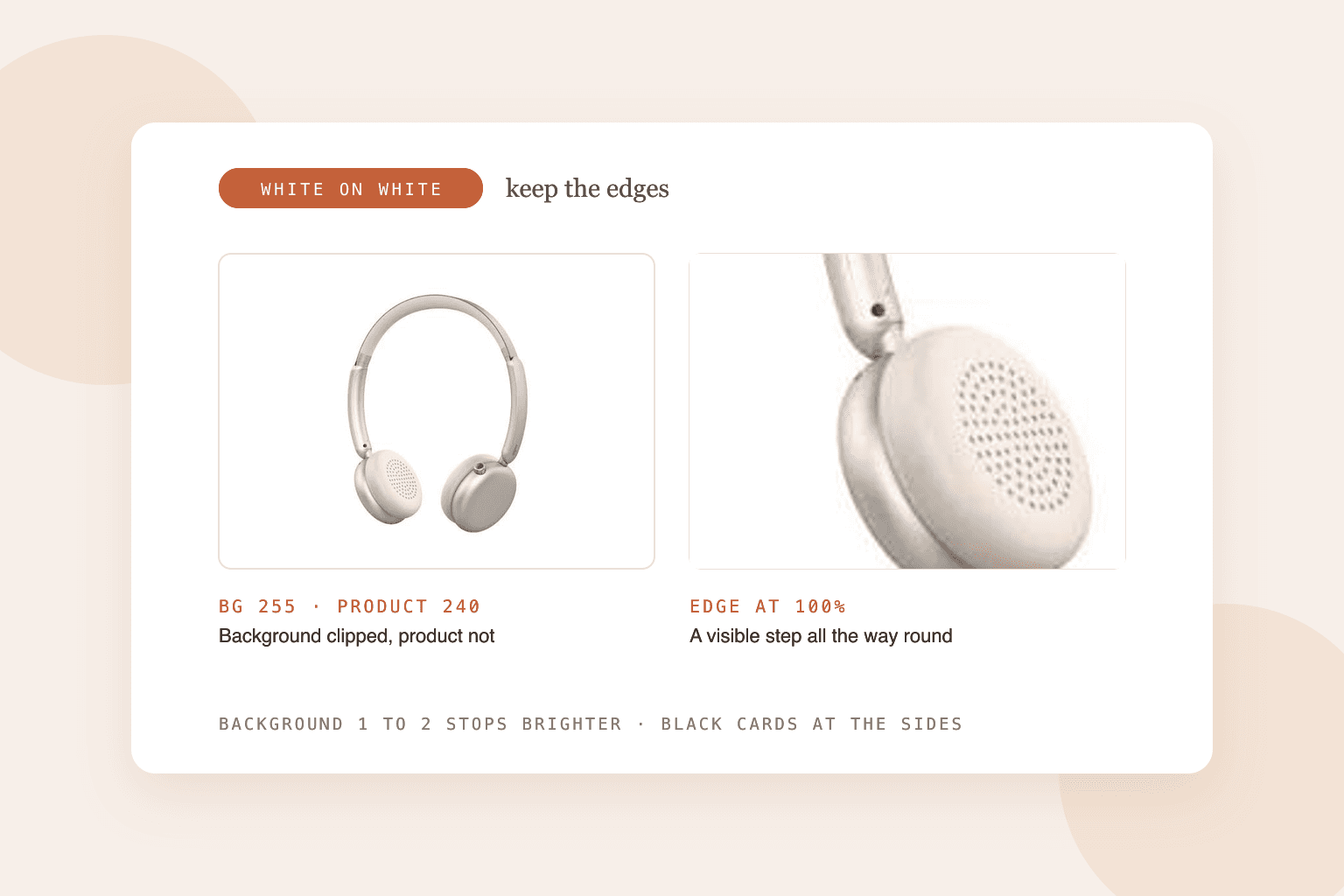
Short answer: light the background and the product separately. Expose the product first, then bring the background up until it's about 1 to 2 stops brighter than the product, so it goes pure white while the product stays a touch below. Pull the product a few feet away from the backdrop, and place black cards just outside the frame on each side so the product's edges pick up a thin dark line. In editing, mask the product and push only the background to RGB 255. A white product should land around 240 to 250, not 255, or its outline disappears.
White on white is the shot every skincare, electronics and homeware seller eventually has to get right. It's also where most home setups fail, because the usual advice for a clean white background ("overexpose it") is exactly what erases a white product.
If your product isn't white, you don't need this level of control. Our white background guide covers the simpler setup that works for most products.
Why white products disappear
A camera can only record so much brightness. Anything past that point clips to pure white, RGB 255, and all detail in it is gone. A white background needs to be clipped to look clean. A white product needs to stay just below that point, or it clips too and merges with the background.
The whole technique is about controlling that gap. You want the background a little past the clipping point and the product a little under it.
The setup
You don't need a studio, but you do need two separate light sources, or one light plus a bright window.
- A seamless white sweep. Curve white paper or foam board from the wall down under the product so there's no visible corner line.
- Space between product and backdrop. Pull the product forward, 3 to 6 feet if you can. Light bouncing off a bright background spills onto the product's edges and washes them out. Distance stops that.
- A key light on the product. A large soft light, like a softbox or a diffused window, placed above and slightly to the side.
- A separate light on the background. Aim it at the backdrop only, not at the product. A flag or a piece of card between this light and the product keeps it from spilling forward.
- Black cards at the sides. Stand two pieces of black foam board just outside the frame, one on each side. They add a thin dark line along the product's edges, which is what keeps the outline visible. Move them closer for a stronger line.
For glossy products like bottles or phones, those black cards also show up as dark reflections along the edges, which is exactly what you want: it gives the shape definition.
How bright should the background be?
Sources quote anything from 1 to 2 stops brighter than the product, and both ends work. Here's why the range exists:
- Less than 1 stop and the background comes out light grey and patchy. You'll have to fix it in editing.
- About 1 to 1.5 stops gives clean white with the least spill. This is the safer place to start.
- 2 stops or more clips the background easily, but the extra light wraps around the product's edges and adds flare, which lowers contrast.
Start at 1 stop, take a test shot, and add light to the background until the histogram shows it pressed against the right edge. Stop as soon as it's clipped. More light after that point only causes problems.
Camera and phone settings
On a camera:
- ISO 100 to 200, on a tripod
- f/8 to f/11, so the whole product is sharp
- white balance set to match your lights (not auto), or a white product turns blue or orange
- shoot RAW, and turn on the highlight warning so you can see what's clipping
On a phone:
- use Pro or manual mode if your phone has one
- tap the product and lock focus and exposure on it, then drag the exposure down slightly until the product's highlights show detail
- use a window on an overcast day as your key light, with a white card opposite to fill the shadows
- turn off HDR and filters, which flatten the contrast you need
Our phone photography guide covers the window setup step by step.
Editing: the numbers to check
This step is what separates a professional white on white shot from an almost-there one.
- Mask the product and adjust the background on its own layer.
- Push the background to 255, 255, 255 with a levels or curves adjustment on the background only.
- Keep the product at about 240 to 250. Use the eyedropper on the brightest parts of the product (not tiny reflections). If they read 255, darken the product slightly.
- Check the edges. Zoom to 100% and run the eyedropper along the outline. There should be a visible step between the product and the background all the way around.
- Keep a soft contact shadow under the product. A faint shadow where it touches the surface is often the strongest edge it has.
White products on Amazon
Amazon's main image has to be on pure white, RGB 255, 255, 255, with the product filling about 85% of the frame. Reviewers and automated checks catch backgrounds that are almost white, like 252 or 254, and grey corners from uneven light.
That means for white products:
- the background must be exactly 255, everywhere, including the corners
- you can't add an outline or border to separate the product, because borders are banned on the main image
- the separation has to come from the product's own tone and a soft shadow
A subtle contact shadow is widely used on Amazon main images. A heavy drop shadow that spreads across the frame is the kind of thing that gets flagged, so keep it small and soft. Our full Amazon image guide has the other main image rules.
The quicker route
If you'd rather not build a two-light setup, BrandShots can do the background work from a single decent photo of your product. It keeps the product as photographed, so the label and color stay exact, and renders it on a pure white background. It's worth doing a careful shoot once for your hero products, and it's useful for the rest of the catalog.
Why does my white background look grey?
Not enough light on the background, compared with the product. Add light to the background, or move the product further from it, until the background clips to 255.
How do you make a white product stand out on a white background?
Give it edges: black cards beside the product to add a thin dark outline, distance from the backdrop to stop light spilling onto it, and a small contact shadow underneath.
What's the best background for white products?
A seamless white sweep for marketplace main images. For lifestyle images, a light grey or a soft color makes white products far easier to read and is allowed in secondary slots.
Common mistakes
- One light for everything. It makes the background and product the same brightness, so the edges vanish.
- Product too close to the backdrop. Bounced light eats the outline.
- Overexposing the whole shot. The product clips to 255 along with the background.
- Auto white balance. White products show color casts more than anything else.
- Brightening the whole image in editing instead of masking the background.