October 20, 2026 · 6 min read
Amazon A+ Content image sizes for every module (2026)
A+ Content is the section below the bullets where a brand gets to tell its story, and every module wants a different image size. The dimensions for Basic A+, Premium A+ and Brand Story, the file rules, and the content Amazon rejects.
By Smit Golakiya · Founder, BrandShots
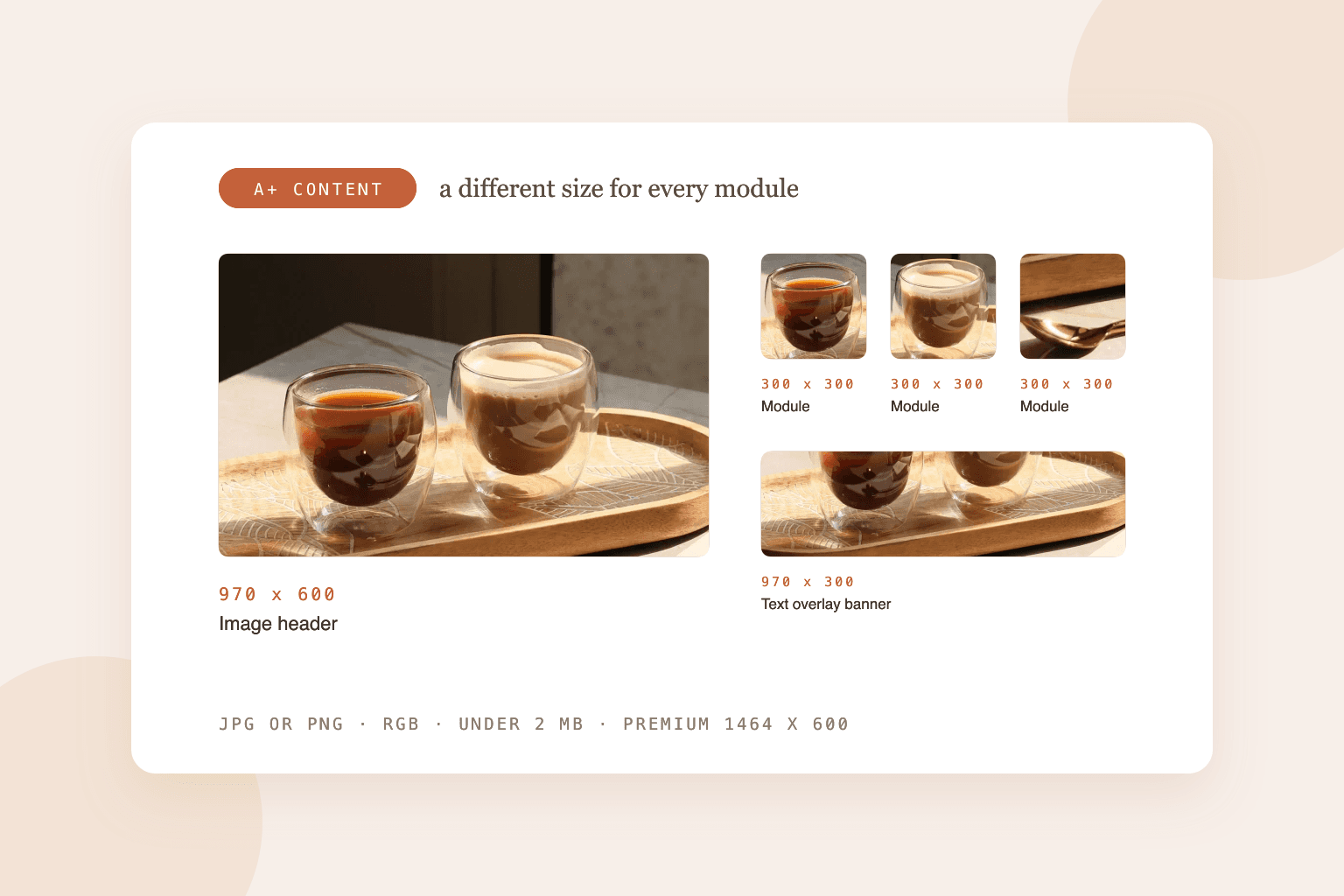
Short answer: the most used Basic A+ sizes are 970 x 600 pixels for the image header, 970 x 300 for the image with text overlay, 300 x 300 for the three-image module and most single image modules, 220 x 220 for the four-image module, and 600 x 180 for the company logo. Premium A+ modules run wider, at 1464 x 600 for full-width images with a separate 600 x 450 mobile image. The Brand Story background is 1464 x 625. Every A+ image must be JPG or PNG, RGB, and under 2 MB.
A+ Content (once called Enhanced Brand Content) is free for brands in Amazon Brand Registry, and Amazon says it can lift sales by up to 8% for Basic and up to 20% for Premium. The catch is that every module has its own image size, and Amazon's editor will crop or reject images that don't fit.
One caution before the numbers: Amazon shows the required size inside A+ Content Manager for each module, and that's the final word. The sizes below are the ones sellers and agencies consistently report, and where sources disagree we say so.
Basic A+ module sizes
Basic A+ content is up to 970 pixels wide, with up to 5 modules per page.
- Standard image header with text: 970 x 600
- Standard image and light or dark text overlay: 970 x 300
- Standard company logo: 600 x 180
- Standard three images and text: 300 x 300 each
- Standard four images and text: 220 x 220 each
- Standard four image and text quadrant: 135 x 135 each
- Standard single image and sidebar: 300 x 400 main image, 350 x 175 sidebar
- Single left or right image, image and highlights, image and specs detail, multiple image module: 300 x 300
- Standard comparison chart: 150 x 300 per product (some sources say 150 x 150, so check the editor)
- Text, product description and tech specs modules: no image
Premium A+ module sizes
Premium A+ runs up to 1464 pixels wide and allows up to 7 modules. Full-width modules take separate desktop and mobile images, so you design each one twice.
- Full-width image: 1464 x 600 desktop, 600 x 450 mobile
- Navigation carousel: 1464 x 600 desktop, 600 x 450 mobile
- Hotspots: 1464 x 600 desktop, 600 x 450 mobile
- Single image with text: 800 x 600
- Dual images with text: 650 x 350
- Four images with text: 300 x 225
- Large comparison table: 488 x 700
- Video: 1920 x 1080 MP4
Premium A+ used to require a Brand Story and a run of approved A+ projects. Sellers reported in mid 2026 that Amazon opened it to all Brand Registry brand owners, so check your A+ Content Manager before assuming you don't qualify.
Brand Story sizes
Brand Story is the scrolling carousel that sits above A+ content, and it's shared across all your products.
- Background image: 1464 x 625 desktop, 463 x 625 mobile (required)
- Focus image card: 362 x 453
- ASIN and store showcase card: 166 x 182
- Logo and description card: 315 x 145
Some agencies report a larger 3000 x 600 hero option. If the editor offers it, use it; if not, 1464 x 625 is the size that's accepted everywhere.
File rules for every A+ image
- Formats: JPG or PNG
- Color: RGB, not CMYK
- File size: under 2 MB per image
- Resolution: at least 72 dpi. Claims you need 300 dpi are print rules, not A+ rules.
- No animated GIFs
A practical habit: design at twice the size (for example 1940 x 1200 for the header), keep the exact aspect ratio, and export at the listed size. The image stays sharp on high resolution screens and you have room to crop.
What Amazon rejects in A+ Content
Most A+ rejections come from what's in the images, not their size:
- Prices, discounts, promotions or shipping details
- Claims like "best seller", "#1" or "top rated"
- Warranties and guarantees, including satisfaction guarantees
- Mentions of competitors. Comparison charts can only include your own products.
- Links, QR codes and contact details
- Time-sensitive words like "new" or "now"
- Health or eco claims you can't support
- Text too small to read on a phone
- Images copied from your main listing gallery
Awards are allowed if you name who gave them and when.
Text in A+ images and mobile
Most Amazon shoppers browse on a phone, where a 970 pixel module shrinks to the width of the screen. Text baked into an image shrinks with it.
Amazon's own design guidance is to keep important text out of images and use the module's text fields instead, which stay readable on any screen. If you do put text in an image, make it large (around 30 point at the design size), keep it short, and check the mobile preview before you submit.
Alt text for A+ images
Each A+ image has an alt text field of up to 100 characters. Describe what the image shows, plainly, for shoppers using screen readers. Stuffing it with keywords can get the content rejected, and there's little evidence A+ alt text helps search rankings anyway.
Where to get the images
A+ modules are the natural home for lifestyle and detail shots: the product in use, close-ups of materials, the size next to a hand. If you already have one good photo of the product, BrandShots can build those scenes around it while keeping the product exactly as photographed, which matters because A+ images still have to show your real product.
For the main gallery images above the A+ section, the rules are different and stricter. Our Amazon image requirements guide covers the white background main image and slots 2 to 7, and our Amazon page shows how one product photo becomes a full listing set.
What size is the A+ Content header image?
970 x 600 pixels for the Basic A+ standard image header. Premium full-width headers are 1464 x 600, with a 600 x 450 mobile version.
How many A+ modules can I use?
Up to 5 with Basic A+ and up to 7 with Premium A+.
Is A+ Content free?
Yes, for brands enrolled in Amazon Brand Registry selling on a Professional account.
How long does A+ Content approval take?
Usually a few days, and up to about 7 business days.
Common mistakes
- Designing at the exact size. Work at 2x and export down so images stay sharp.
- Dense text in images. It's unreadable on phones and a common rejection reason.
- Reusing gallery images. A+ images should add something the gallery doesn't show.
- Skipping the mobile images for Premium modules. Amazon will crop the desktop one badly.
- "Best seller" badges. They're banned in A+ even if they're true.