October 20, 2026 · 6 min read
Google Shopping image requirements: the 500 pixel rule and more
Google Merchant Center is raising its minimum image size to 500 x 500 pixels for every product on January 31, 2027, and warnings are already showing. The full set of image rules: sizes, formats, banned overlays, AI metadata and what gets a product disapproved.
By Smit Golakiya · Founder, BrandShots
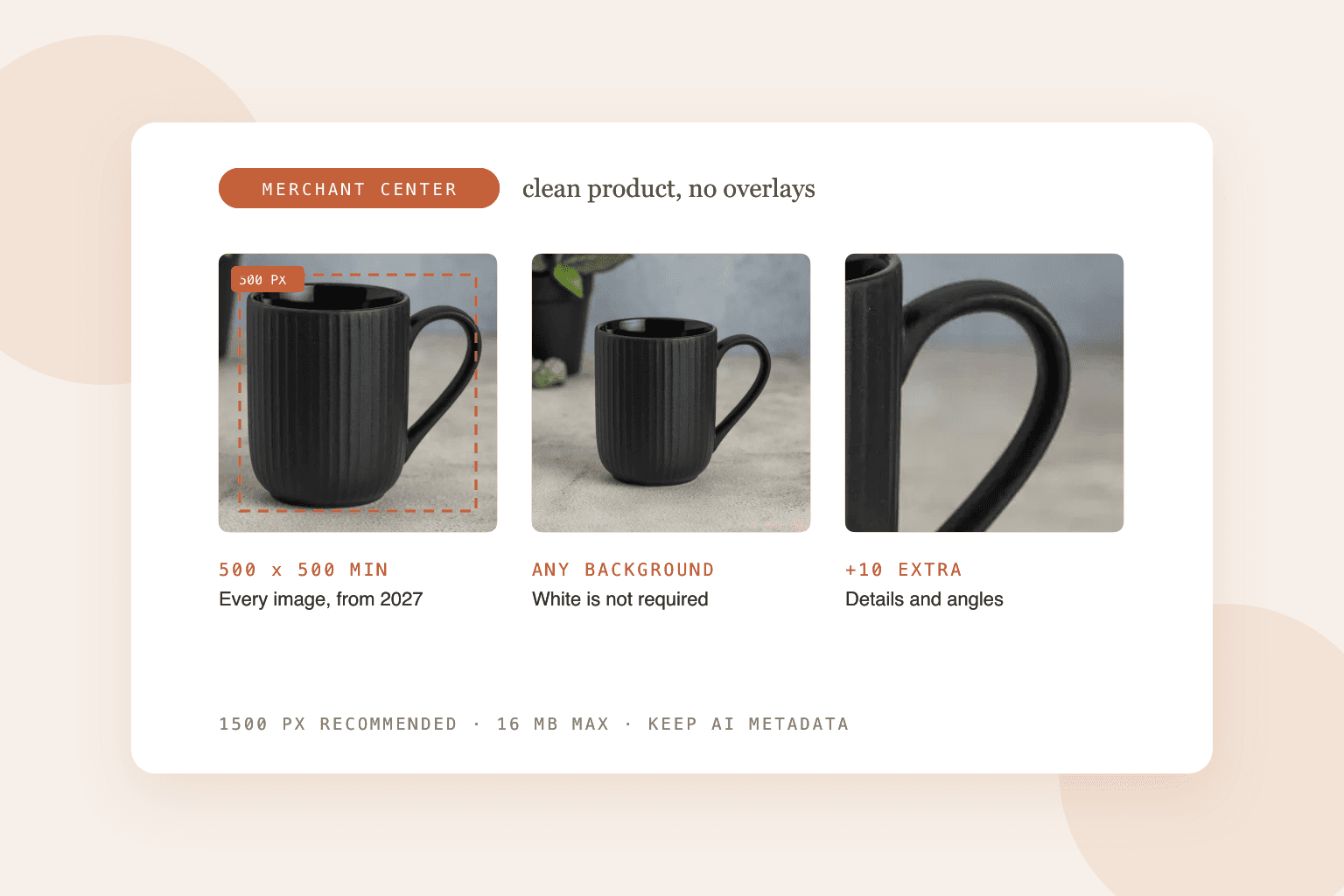
Short answer: from January 31, 2027, every product image in Google Merchant Center has to be at least 500 x 500 pixels. Until then the minimum is 250 x 250 for clothing and 100 x 100 for everything else, but Google is already warning about images below 500. Google recommends 1500 x 1500 or larger, accepts files up to 16 MB and 64 megapixels, and allows up to 10 additional images per product. Images can't carry promotional text, watermarks, added logos or borders, and AI-generated images must keep the metadata that marks them as AI.
Google Shopping ads and free listings both pull from your Merchant Center feed, so these rules decide whether your products show up at all. A main image that breaks them gets the product disapproved.
The 500 pixel change
This is the rule most stores need to act on. Google's current split (250 pixels for apparel, 100 for the rest) ends on January 31, 2027. After that date, every main image and every additional image needs to be at least 500 x 500 pixels.
You don't have to wait for that date to find out which products are affected. Merchant Center already flags them with an "Image too small for upcoming enforcement" warning in the Needs attention section. Google says it will try to optimize some small images itself to avoid disapprovals, but relying on that is a gamble. Replace them before the deadline.
Google also asks you not to submit thumbnails or upscaled images. Stretching a 300 pixel image to 500 passes the number and still looks soft in the ad.
Google Shopping image specs at a glance
- Minimum: 500 x 500 pixels from January 31, 2027 (currently 250 x 250 for apparel, 100 x 100 for other products)
- Recommended: 1500 x 1500 pixels or larger
- Maximum: 64 megapixels and 16 MB per file
- Formats: JPEG, WebP, PNG, GIF (not animated), BMP and TIFF. The file extension must match the real format.
- Additional images: up to 10 per product
- Framing: the product should fill 75% to 90% of the image
What Google doesn't allow in product images
Google's image rules ban anything that turns the photo into an ad on top of the ad:
- Promotional overlays: calls to action like "buy now", prices, shipping or discount info, warranty claims, words like "best" or "sale", and condition labels
- Watermarks and copyright symbols
- Brand names or logos added on top of the image. A logo printed on the product itself is fine.
- Barcodes and QR codes
- Borders and single-color images
- Placeholder images, store logos instead of a product, and mockups or line drawings that don't show the physical product
- Extra products that aren't part of what's being sold
Each variant also needs its own image showing only that variant. A red shirt listed with a photo of the blue one is a mismatch Google can flag.
Does Google Shopping need a white background?
No. This is a common myth. Google asks for a clean, unobstructed view of the product, and doesn't require any background color.
A white or light background is still a smart default for the main image, because it's what shoppers see across the results page and it makes your product easy to read at a small size. If you also sell on Amazon or Walmart, a white main image that passes their stricter rules works on Google too. Your additional images are the place for lifestyle scenes.
AI-generated product images on Google Shopping
Google allows AI-generated images, with one technical rule: they have to keep the IPTC metadata that labels them as AI-made. Google lists the DigitalSourceType values TrainedAlgorithmicMedia, CompositeSynthetic and AlgorithmicMedia, and says you must not remove them.
The catch is that metadata gets stripped easily. Image compressors, some CDNs and "optimize for web" exports can drop it without telling you. If you use AI images, check the files your feed actually points to, not just the originals.
The product itself still has to be accurate. An AI scene around your real product is a different thing from an AI image of a product that doesn't look like what ships. Our post on Amazon's AI rules covers that line in more detail.
What happens when an image breaks the rules
- Main image problems (too small, overlays, placeholders) get the product disapproved, so it won't appear in Shopping ads or free listings until you fix it.
- An additional image that's too small isn't disapproved, it just isn't shown.
- Low image quality (blurry or pixelated) currently produces a warning, and Google's help page says the product will continue to show.
You'll find all of these under Diagnostics or Needs attention in Merchant Center.
Can Google fix my images automatically?
Partly. Merchant Center has a setting called automatic image improvements, which is off by default. When it's on, Google tries to remove promotional text, watermarks and overlays from images that would otherwise be disapproved. It doesn't remove backgrounds, and it struggles with collages and heavy text.
It's a safety net, not a workflow. Clean images in the feed are always more reliable.
Image URL rules
Your feed links to images by URL, and Google is strict about those links:
- http or https, with no spaces or non-ASCII characters
- stable, so no timestamps or session parameters that change
- under 2,000 characters
- not blocked by robots.txt for Googlebot or Googlebot-image
What size should Google Shopping images be?
At least 500 x 500 pixels to be safe beyond January 2027, and 1500 x 1500 or larger for the best result.
How many images can I add to a Google Shopping product?
One main image plus up to 10 additional images.
Why was my Google Shopping image disapproved?
The most common reasons are an image under the minimum size, promotional text or a watermark on the image, a placeholder or logo instead of a product photo, and a URL Google can't crawl.
Common mistakes
- Waiting for the deadline. Replace small images now while the warnings are only warnings.
- Sale badges on the main image. They're allowed in your store, not in your feed.
- Stripping AI metadata during compression. Check the final files.
- Reusing one image across variants. Each color or size option needs its own.
- Pointing the feed at resized thumbnails. Link to the full-size file.
BrandShots builds clean main images and lifestyle shots from your own product photo. A 2K download (2048 x 2048) clears Google's 1500 pixel recommendation, so the same set covers Google, Amazon, Walmart and your own Shopify store.