October 13, 2026 · 5 min read
Etsy listing photo size and requirements
Etsy's rules are short and oddly specific: at least 2000 pixels, under 1 MB, no transparency, and a first photo that survives three different thumbnail crops. Here is each requirement and what it means for how you frame a shot.
By Smit Golakiya · Founder, BrandShots
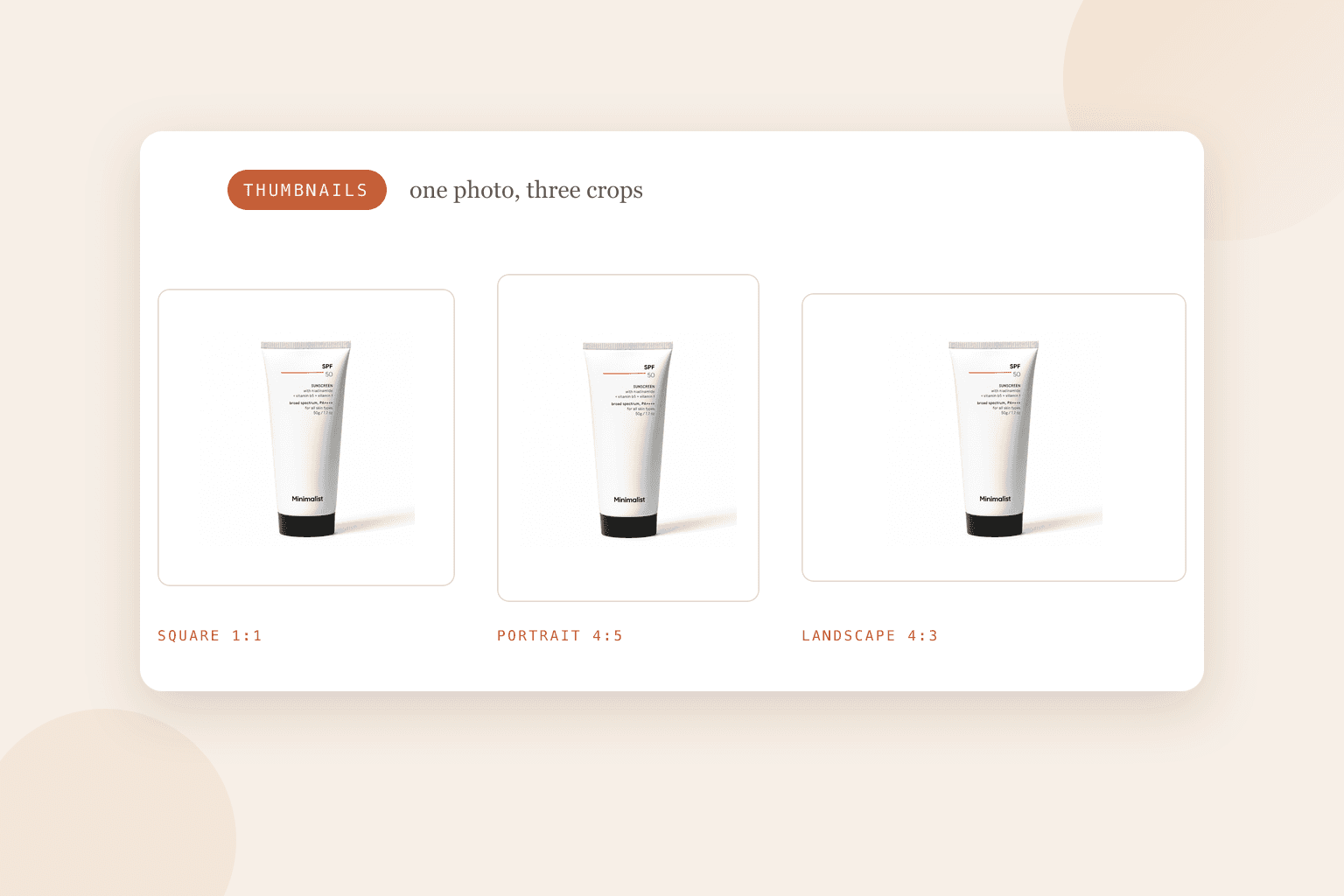
Short answer: upload listing photos at least 2000 pixels wide and tall, keep each file under 1 MB so the upload completes, and save as .jpg, .gif, .png, .svg or .heic in sRGB. Make the first photo landscape or square, since it sets the shape for the rest of the listing, and leave space around the product because Etsy crops thumbnails to square, portrait and landscape in different places. Transparent PNGs turn black, so flatten them onto white first.
Etsy publishes fewer rules than Amazon, and the ones it has are easy to miss until a photo refuses to upload or a thumbnail cuts your product in half.
What Etsy requires
- File types: .jpg, .gif, .png, .svg or .heic. Nothing else is supported.
- No animation and no transparency. Animated GIFs do not work, and transparent areas of a PNG appear black on Etsy.
- Size: Etsy recommends listing photos at least 2000 pixels in width and height.
- First photo: at least 635 pixels wide and tall, or the listing shows up lower in search.
- File size: images over 1 MB may not finish uploading, especially on a slow connection.
- Color: convert to sRGB. Etsy converts anyway, and CMYK files are for print.
Etsy also compresses images after upload to keep pages fast, so a photo may look slightly softer on the listing than on your screen. Starting from 2000 pixels is what gives it room to compress without visible damage.
The first photo decides everything
Two of Etsy's rules are about the first photo, and both are about cropping.
It should be landscape or square, Etsy says, so the focal point survives the cropped thumbnail views. It also sets the shape for the photos that follow, so a portrait first photo makes the rest of your listing look inconsistent.
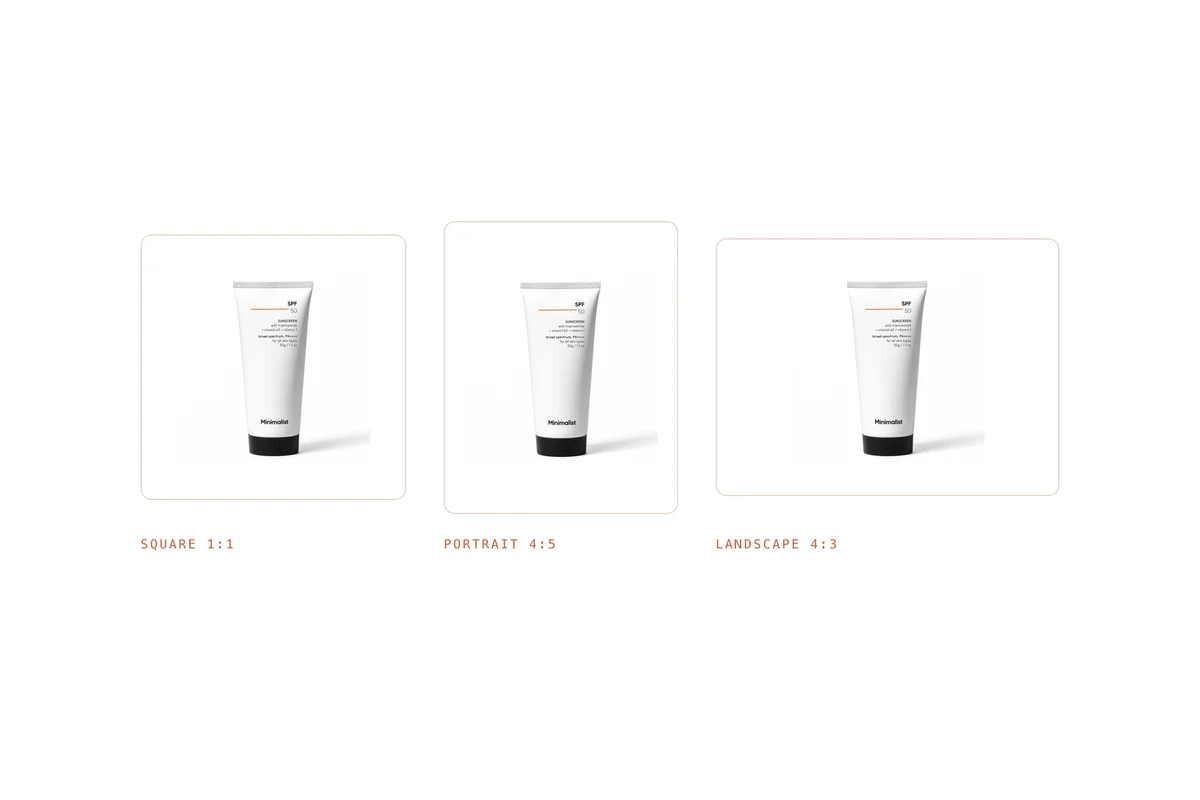
Then there is the part sellers find out the hard way: Etsy crops thumbnails to square, portrait and landscape, depending on where the listing appears. Etsy's own advice is to shoot from further back than feels necessary, keep the product centered, and leave enough border that every crop still contains the whole item. There is a thumbnail adjustment tool in the listing editor that previews each crop, and it is worth using before you publish.
Staying under 1 MB at 2000 pixels
These two requirements pull against each other, and the fix is export settings rather than a smaller photo.
Export as JPEG rather than PNG for photographs, since a photographic PNG at 2000 pixels is several megabytes. Set quality around 80, which is visually identical to maximum for a product photo and a fraction of the size. Check the file size before uploading, and if it is still over, the usual cause is an uncompressed export or a photo with a very busy background.
PNG earns its place for flat graphics and text, not for photographs. If you do use one, flatten any transparency onto white, or Etsy will render those areas black.
What the other photos should show
Etsy shoppers scroll the gallery more than most, because handmade and vintage items need more explaining. A set that answers questions usually includes:
- The product alone on a clean background, which is your first photo
- A scale shot, next to a hand or an everyday object
- A detail shot of texture, grain, stitching or the clasp
- The product in use or styled in a room
- Variations, if you sell colors or sizes
- The packaging, which matters for gifts
Getting a consistent set
Shooting all of that is a day's work per product, and the results drift between sessions. With one clean photo, BrandShots builds the rest around your real item: white listing shots, styled scenes, and crops that keep margin for Etsy's thumbnails. Jewelry sellers get jewelry mode automatically, which holds detail on prongs and engraving. Our phone guide covers the first shot if you want to take it yourself.
Selling in more than one place? Amazon's rules are stricter about the main image, and Shopify wants a consistent ratio rather than a specific size.
What size should Etsy listing photos be?
At least 2000 pixels wide and tall, which is Etsy's recommendation, with the first photo at least 635 pixels to avoid ranking lower. Keep each file under 1 MB.
Why do my Etsy photos look blurry?
Usually because the original was too small and Etsy's compression had nothing to work with, or because a phone photo was cropped heavily before upload. Start at 2000 pixels, crop before you export rather than after, and avoid uploading a screenshot of a photo.
Does Etsy support transparent PNGs?
No. Transparency renders as black on Etsy. Flatten the image onto a white background before you upload it.
Common mistakes
- A portrait first photo. It crops badly and sets the wrong shape for the rest of the listing.
- The product filling the entire frame. One of Etsy's three thumbnail crops will cut it.
- Files over 1 MB. The upload stalls, usually at the worst moment.
- Transparent PNGs. They go black, and it is not obvious until the listing is live.
- A different background in every photo. The gallery stops looking like one shop.