October 14, 2026 · 5 min read
How to photograph jewelry for Etsy
Etsy crops every listing photo three ways, which is unkind to a ring that fills its frame. The framing that survives those crops, how to keep macro detail under Etsy's 1 MB limit, and the ten photos a jewelry listing needs.
By Smit Golakiya · Founder, BrandShots
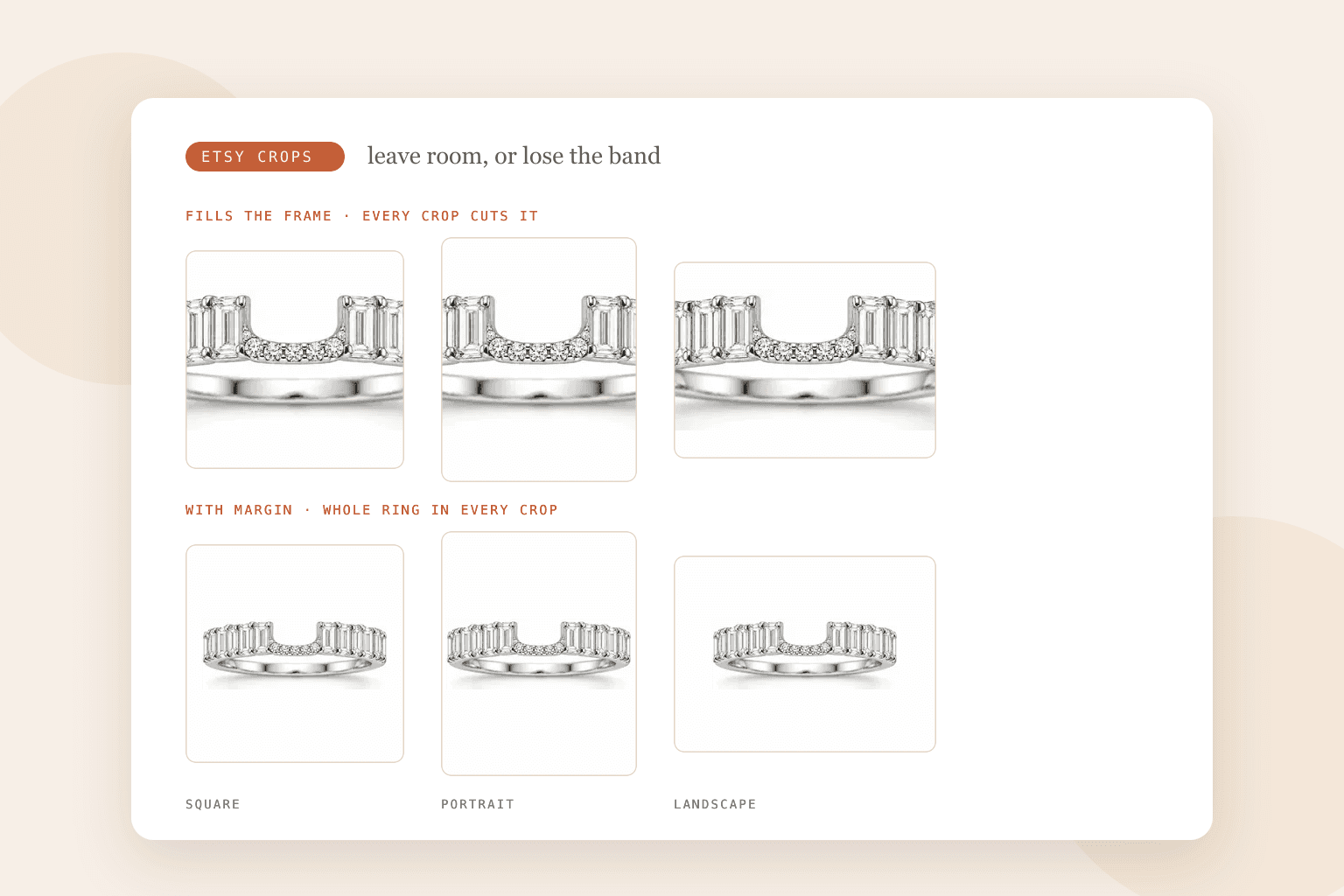
Short answer: shoot the piece smaller in the frame than feels right, because Etsy crops your first photo to square, portrait and landscape in different places and a ring that fills the frame loses its band in at least one of them. Make the first photo landscape or square, at least 2000 pixels on both sides, exported as a JPEG under 1 MB in sRGB. Then fill the rest of the listing with the shots a jewelry buyer actually wants: scale on a hand, the clasp or the hallmark close up, the metal options, and the box it arrives in.
Jewelry and Etsy pull in opposite directions. Jewelry photography wants to get close, because the detail is the product. Etsy wants margin, because it crops. Most listings that look wrong in search were framed for the first instinct.
Leave room for the crops
Etsy uses your first photo in several places and crops it to fit each one: square, portrait and landscape. Its own guidance is to shoot from further back than you think you need, keep the subject centered, and leave enough border that every crop still contains the whole item.
For a ring at arm's length that advice sounds generous. For a ring filling the frame, it is the difference between a thumbnail that sells and one that shows half a band.
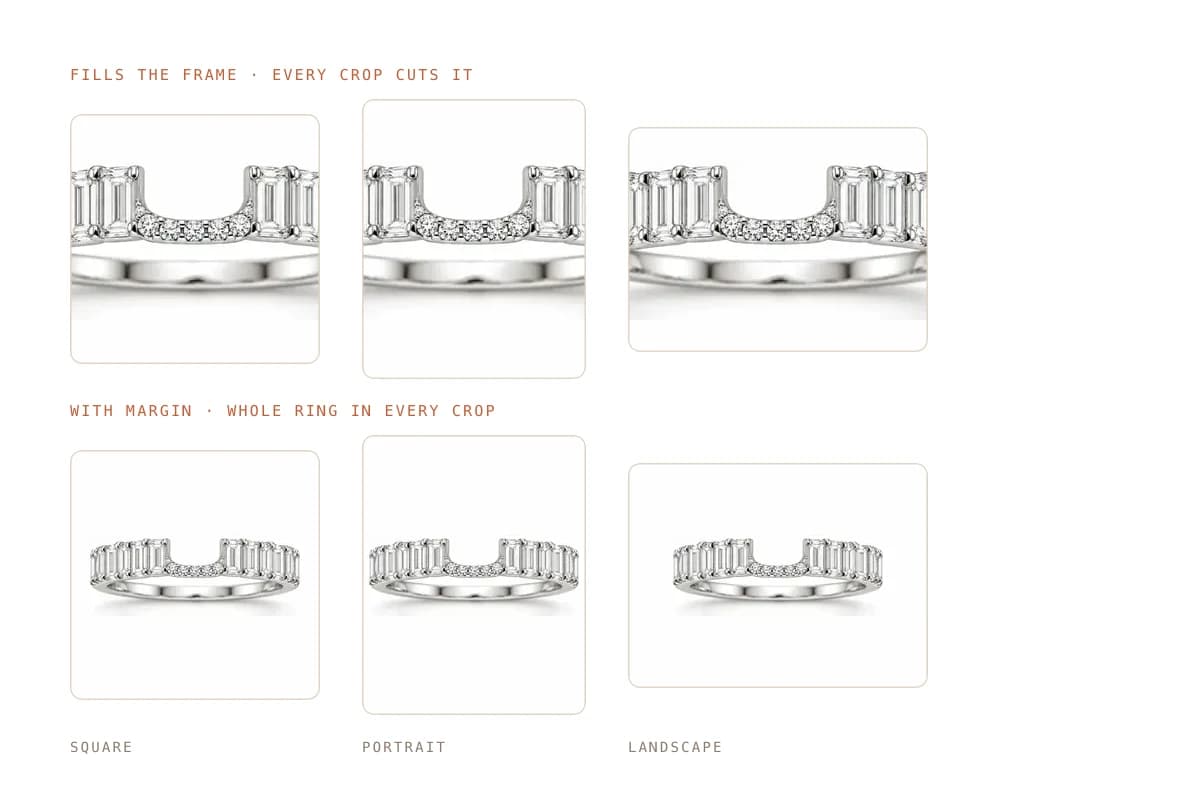
Etsy also says the first photo should be landscape or square, and that it sets the shape for the rest of the listing. A portrait first photo of a necklace will look right in your editor and wrong in search.
Use the thumbnail adjustment tool in the listing editor before you publish. It previews each crop, and for small items it is the only honest way to check.
Detail under 1 MB
The other collision: Etsy recommends at least 2000 pixels on both sides, and warns that files over 1 MB may not finish uploading. Jewelry macro shots are exactly the files that blow past that, because fine detail resists compression.
What works:
- Export JPEG, not PNG. A 2000 pixel photographic PNG runs several megabytes, and Etsy turns transparency black anyway.
- Quality around 80. On a product photo it is indistinguishable from maximum and a fraction of the size.
- Crop before exporting, not after. Cropping a huge file down in the browser keeps the weight and loses the pixels.
- Keep the background plain. Busy backgrounds cost file size that the stone should be spending.
Convert to sRGB too. Metal color is the thing buyers compare against what arrives, and a file left in another profile can land warmer or greyer than the piece.
The ten photos a jewelry listing needs
Etsy shoppers scroll the gallery, especially on handmade and vintage, where the listing has to do the job a shop assistant would:
- The first photo: the piece on a clean background, landscape or square, with margin
- A 45 degree angle, so the band or setting reads as three-dimensional
- A close-up of the setting, prongs or clasp
- The hallmark, stamp or engraving
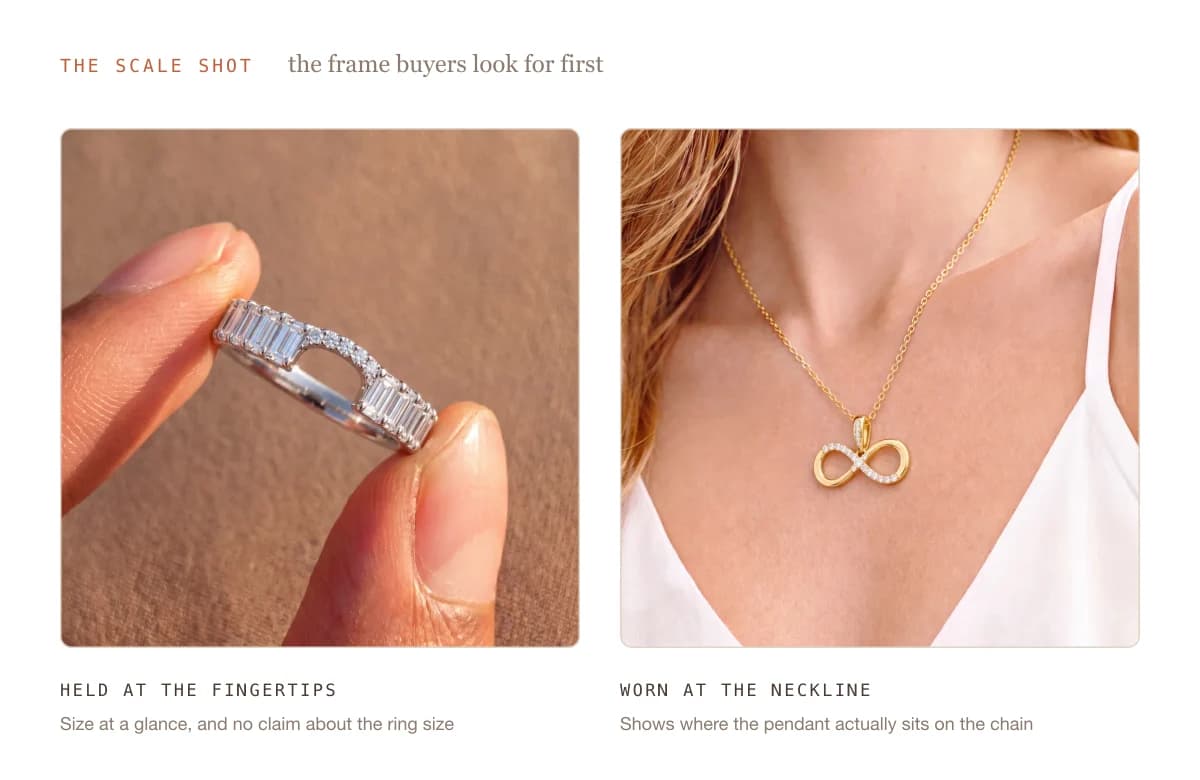
- On a hand, wrist or neck, which is the scale shot buyers look for first
- Next to a familiar object for size, such as a coin
- The metal or stone variations you offer
- The piece worn in a styled scene
- The packaging or gift box
- A size or measurement reference
Shoot the piece once and reuse it: the setup in how to photograph jewelry at home covers the light tent, the wax and the phone settings that make any of these sharp.
Variations need their own frames
If you sell one ring in silver, gold and rose gold, a buyer choosing rose gold should see rose gold. Etsy lets you attach photos to variations, and jewelry is the category where that matters most, because the metal is the decision.
Photographing three versions of the same piece triples the work, which is where BrandShots helps: one clean photo of each finish, and it builds the matching listing shots and styled scenes around them, with jewelry mode switching on by itself so prongs and pavé keep their edges. The jewelry sellers page covers that workflow end to end.
What about the rest of Etsy's rules?
The file types, size minimums and upload limits apply to every listing, not only jewelry: Etsy listing photo size and requirements has the full list, including the transparency trap that turns PNG backgrounds black.
What is the best background for Etsy jewelry photos?
Plain and light for the first photo, because it crops predictably and keeps the piece readable at thumbnail size. Save the linen, stone and wood surfaces for the later frames, where a warmer setting flatters metal and gives the listing some personality.
How do you make jewelry look good in a small thumbnail?
Fill about half the frame rather than all of it, light the piece so the metal has a clear bright edge, and avoid busy backgrounds. A shopper on a phone sees your thumbnail at around the size of a postage stamp, so shape and contrast carry it, not fine detail.
Common mistakes
- Framing tight. The crops will punish it, and the thumbnail is what gets the click.
- A portrait first photo. Etsy asks for landscape or square, and the rest of the listing follows its shape.
- Files over 1 MB. The upload stalls, usually on the macro shot you care about most.
- No scale shot. Jewelry sells on how it sits on a hand or a neck, and buyers ask about size more than anything else.
- One photo for three metal options. The buyer who picks rose gold and receives it after seeing silver on screen is the buyer who returns it.