October 20, 2026 · 10 min read
Lifestyle product photography: a seller's guide with 20 ideas (2026)
A white-background photo shows what your product looks like. A lifestyle photo shows what it's like to own it. That's why lifestyle product photography fills Instagram feeds, ads and the second, third and fourth images on almost every good product listing.
By Smit Golakiya · Founder, BrandShots
Quick answer: lifestyle product photography shows a product in a real setting, being used or placed where it belongs, instead of on a plain background. Use white-background photos for your main marketplace image and lifestyle photos for the rest of your listing, your ads and social media. Every product needs at least three lifestyle shots: in use, in context and a styled scene.
This guide explains what lifestyle product photography is, when to use it instead of a white background, and how to plan and shoot it yourself. It also gives you 20 lifestyle product photography ideas by product type.
Each idea below has two tags:
- Cost: $ (under $20) or $$ ($20–60)
- BrandShots: Yes means BrandShots makes it from one product photo, with the scene described in the notes. Try it means it's possible, using Refine to adjust the result, but may take a few tries. Shoot it means you need a real camera.
What is lifestyle product photography?
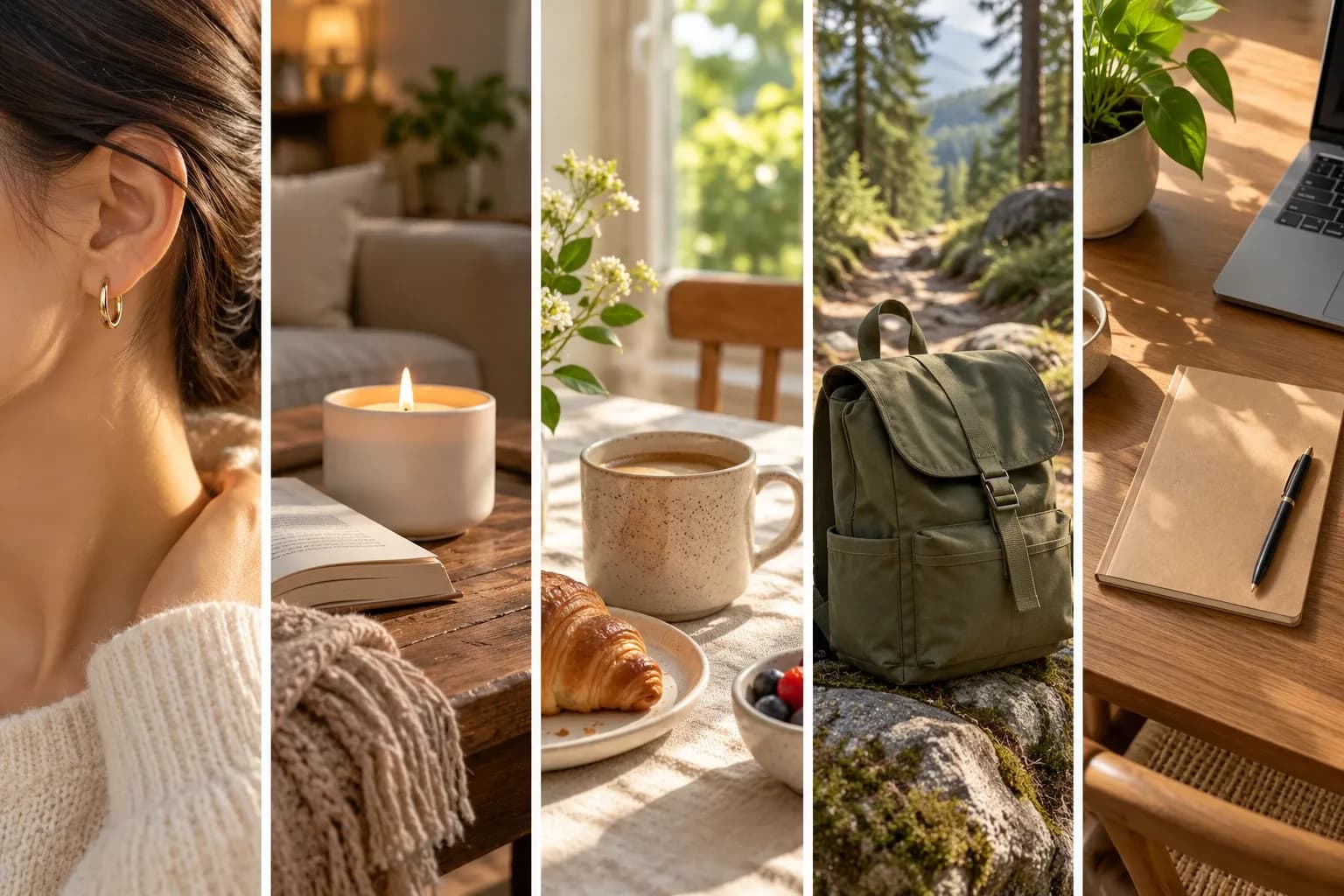
Lifestyle product photography shows a product in the world it was made for: a sunscreen beside a pool, a mug on a breakfast table, a backpack on a hiking trail. Instead of isolating the product, it adds a setting, props and sometimes people, so shoppers understand how the product fits into their own life. You'll also hear it called product lifestyle photography or simply lifestyle shots.
So what is lifestyle photography in general? It captures real or realistic moments rather than posed studio shots. A lifestyle photo of a product is any image where the setting tells part of the story. A lifestyle photoshoot is a shoot planned around those scenes, with locations, props and often models.
Lifestyle vs white background product photos
You need both. They do different jobs.
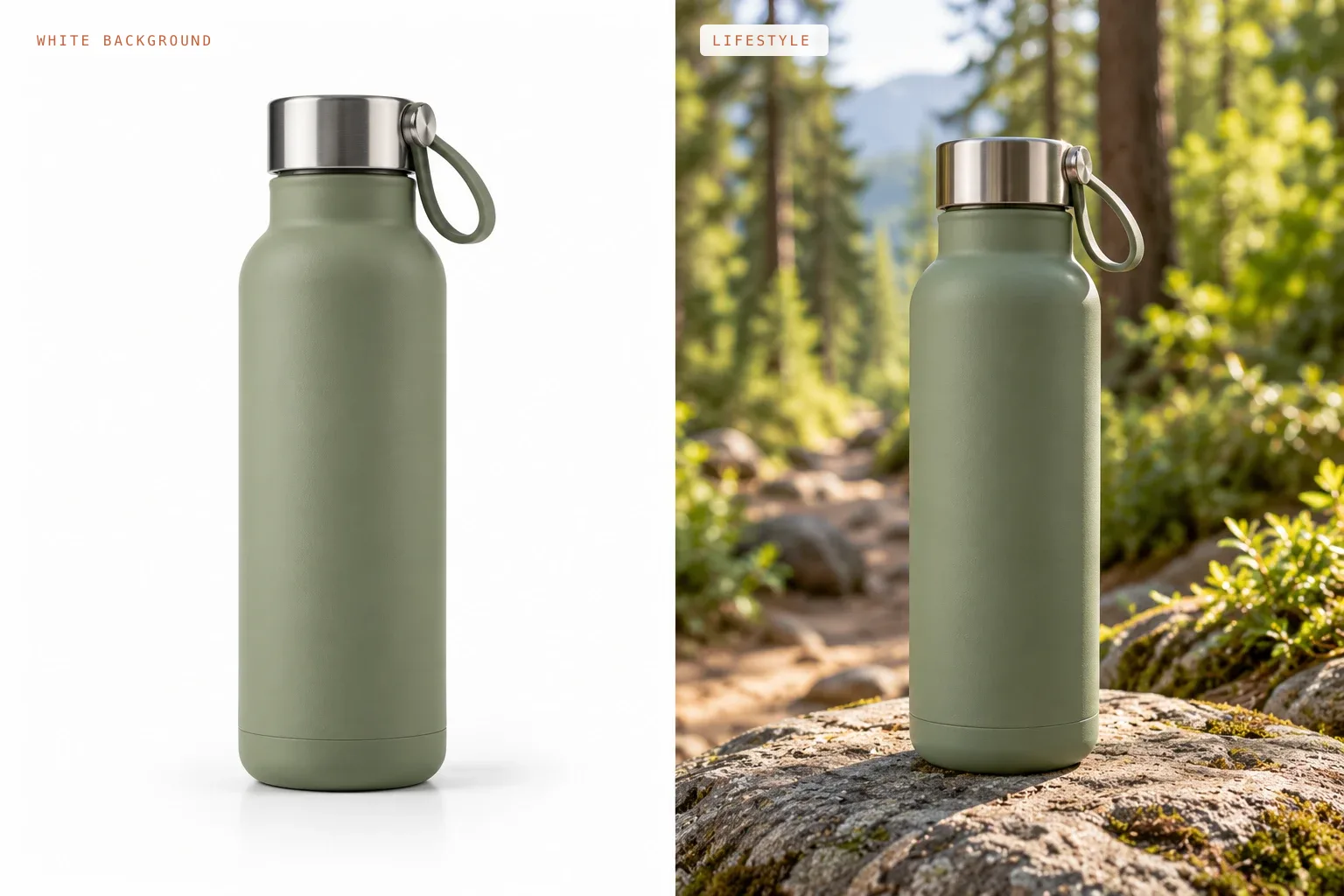
- Item
- Main job
- White background
- Show the product clearly and accurately
- Lifestyle
- Show how it's used and who it's for
- Item
- Best for
- White background
- Main listing image, catalogs, comparison
- Lifestyle
- Gallery images, ads, social media, email, website banners
- Item
- Amazon
- White background
- Required for the main image
- Lifestyle
- Allowed in secondary images only
- Item
- Etsy and Shopify
- White background
- Clean, consistent first photo
- Lifestyle
- Can also work as a first photo if the product stays clear at thumbnail size
- Item
- What shoppers learn
- White background
- Shape, color, details
- Lifestyle
- Size, use, mood, quality, gift potential
On Amazon, the main image has to be the product on pure white, so lifestyle photos go in the other slots. Our Amazon product image requirements guide covers the exact rules. For the clean shots, see how to take product photos with a white background.
The main types of product photography, in one line each:
- White background: the product alone, for main images.
- Lifestyle: the product in a real setting or in use.
- Flat lay: the product and props arranged and shot from above.
- Detail: close-ups of materials, stitching and texture.
- Scale: the product in a hand or next to a familiar object.
- Group: a full set, bundle or color range.
- Infographic: a product shot with short text callouts.
Why lifestyle photos help sell
In product photography, lifestyle photos answer questions that a plain product shot can't:
- How big is it? A bag on a shoulder or a candle on a coffee table shows real size.
- How do I use it? A serum on a fingertip or a blender mid-smoothie shows the product working.
- Is it for someone like me? The setting, the people and the style tell shoppers who the product is for.
- Will it look good in my home? A cushion on a styled sofa helps buyers picture it in their own space.
- Is it a good gift? A seasonal scene or a wrapped box frames the product as a present.
Lifestyle photos also build your brand. When every photo shares the same light, colors and mood, your shop looks like a brand instead of a random collection of products.
The 3 types of lifestyle product shots
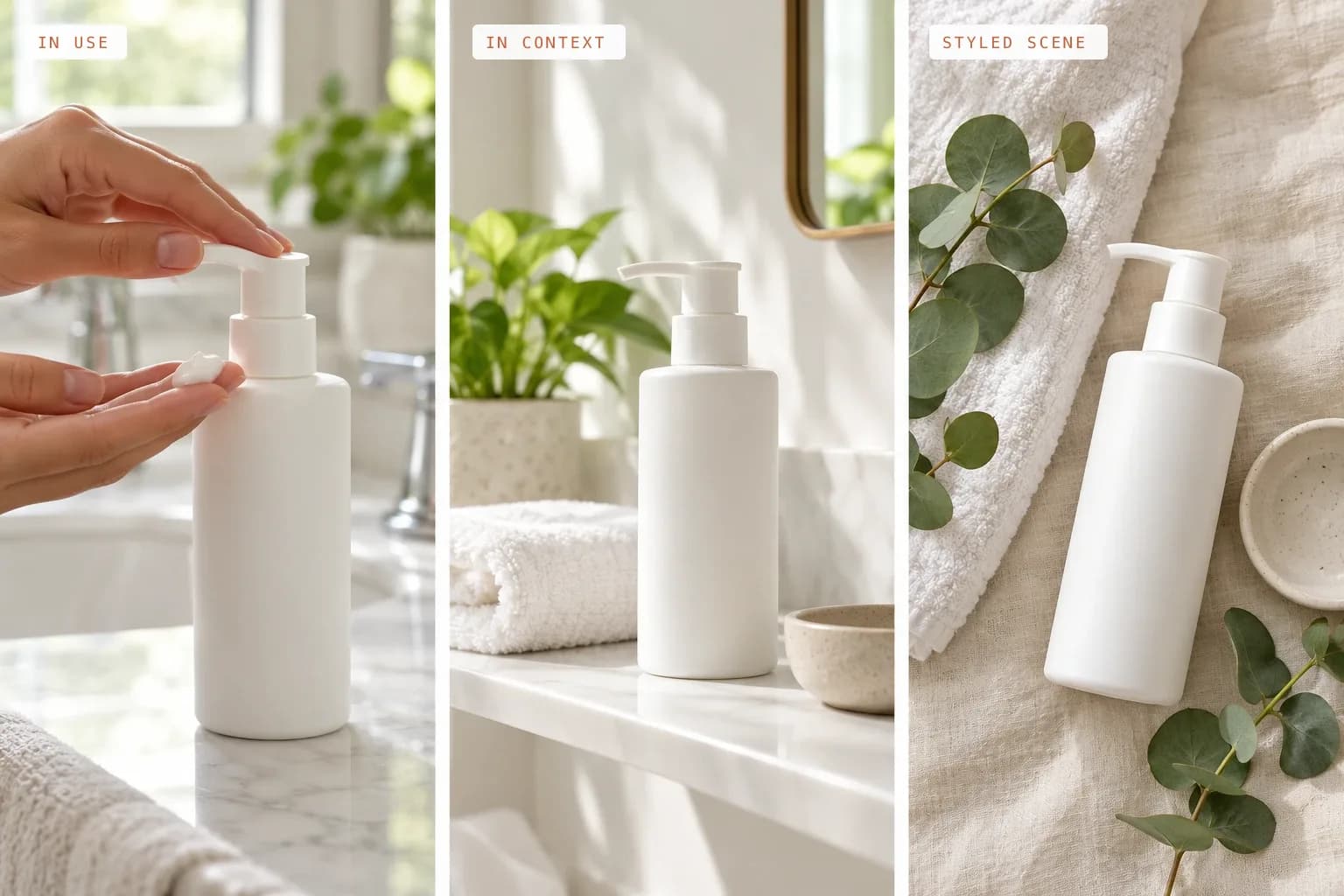
- In use: the product doing its job, often with hands or a model. Cream on a fingertip, coffee poured into a mug, earbuds in an ear.
- In context: the product where it lives, without people. A candle on a coffee table, a serum on a bathroom shelf, shoes by the front door.
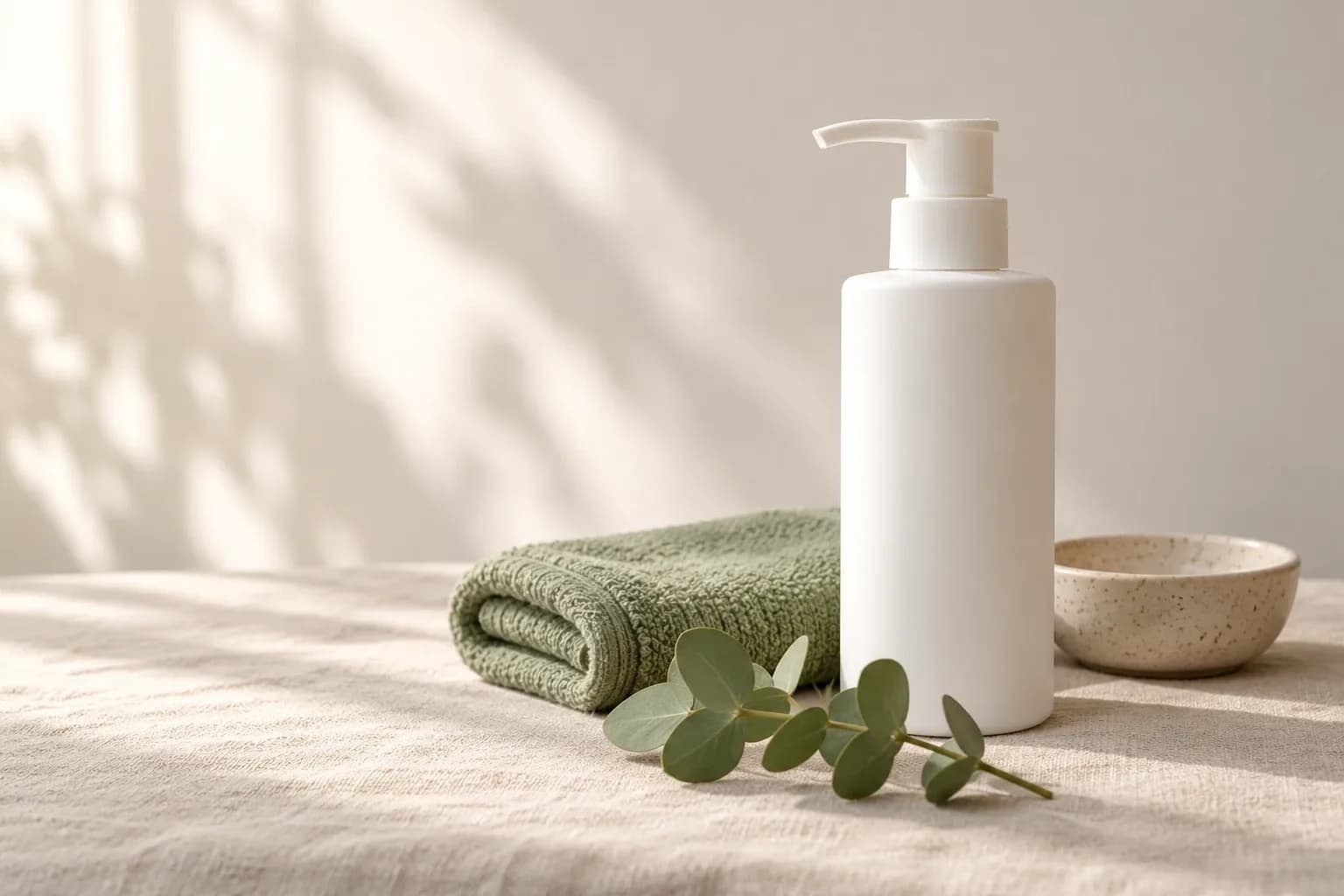
- Styled scene: a composed setup with props that tell the product's story, including flat lays. A notebook with a pen, coffee and a plant; a skincare set with towels and eucalyptus.
Plan at least one of each for your best sellers. Together they cover listings, ads and social posts.
20 lifestyle product photography ideas by product
These lifestyle photoshoot ideas are grouped by product type. For more general product photography ideas beyond lifestyle shots, such as backgrounds, lighting and creative effects, see our list of 40.
Beauty and skincare
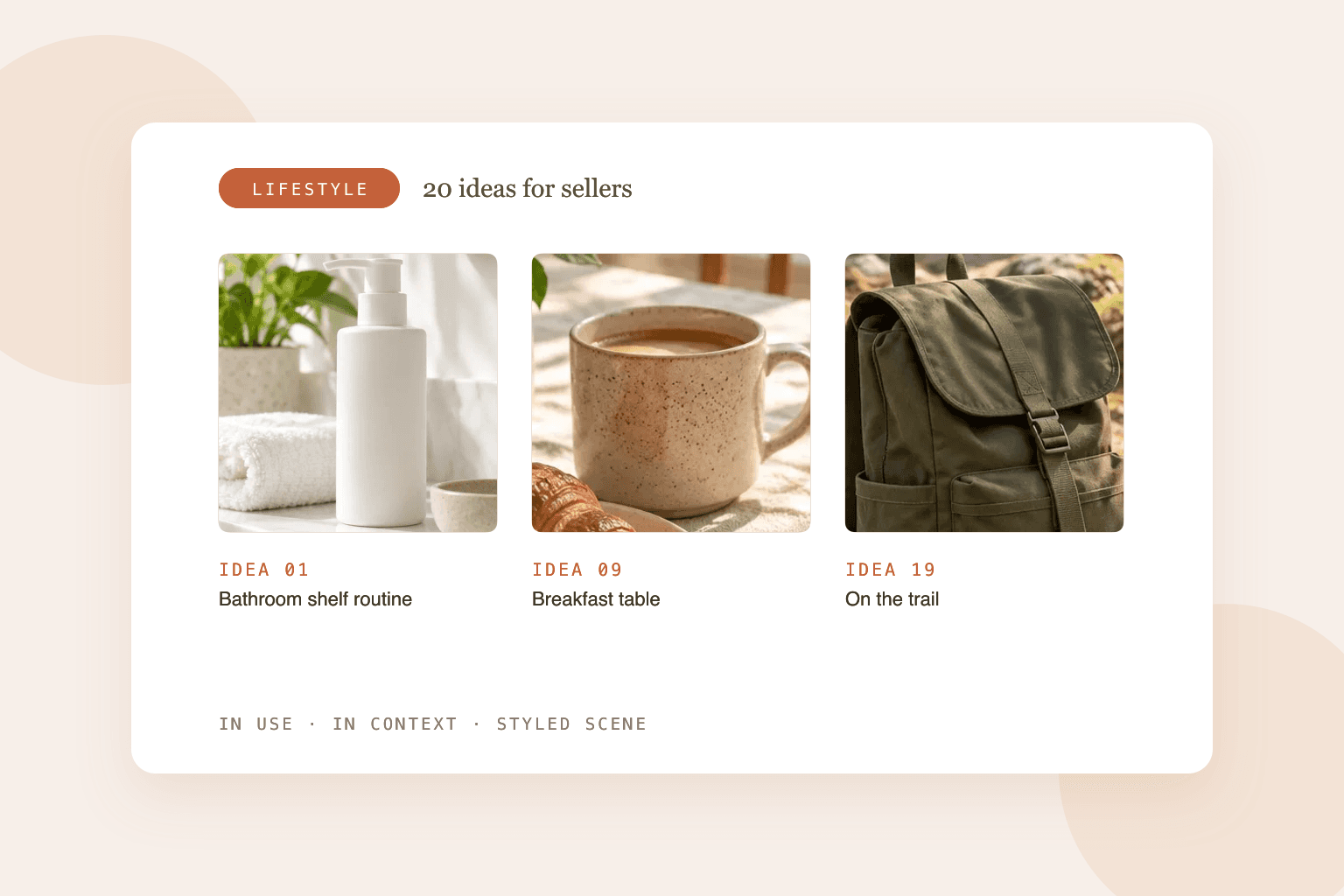
1. Bathroom shelf routine
Setting: a bright bathroom shelf with a plant and folded towels · Cost: $ · BrandShots: Yes
Show the product as part of a morning routine. Keep the shelf tidy and match the towels to your brand colors.
2. Application close-up
Setting: soft window light, a hand or face with natural skin · Cost: $ · BrandShots: Shoot it
Cream on a fingertip, serum dropping onto a palm or lipstick on lips. It shows texture and use better than any bottle shot.
3. Spa moment
Setting: a bath tray with a candle, a book and eucalyptus · Cost: $ · BrandShots: Yes
Sells the feeling of self-care, which is what many beauty buyers are really shopping for.
Jewelry
4. On the body
Setting: a model's hand, neck or ear in soft daylight · Cost: $$ · BrandShots: Try it
Jewelry sells on a person. Keep skin, nails and clothing simple so the piece stands out. See how to photograph jewelry at home for lighting small, shiny pieces.
5. Getting ready
Setting: a dresser with an open jewelry dish, perfume and a mirror · Cost: $ · BrandShots: Yes
An in-context shot that shows the piece as part of a daily ritual.
Candles and home decor
6. Living room glow
Setting: a coffee table with a book, a throw blanket and the candle lit · Cost: $ · BrandShots: Yes
Lower the room lights so the flame glows, and keep a soft light on the label.
7. Styled shelf
Setting: a bookshelf with plants, books and ceramics · Cost: $ · BrandShots: Yes
Great for vases, frames and decor. Show the product with a few neighbors so buyers see the scale.
8. Cozy bedroom
Setting: a bed with linen bedding, a tray and morning light · Cost: $ · BrandShots: Yes
Works for pillows, throws, candles and diffusers.
Kitchen and mugs
9. Breakfast table
Setting: a wooden table with coffee, a pastry and a linen napkin · Cost: $ · BrandShots: Yes
Morning light and a little steam make mugs, plates and kitchen tools feel inviting.
10. Cooking in action
Setting: a countertop mid-recipe, with ingredients and hands · Cost: $ · BrandShots: Shoot it
Show the knife chopping, the pan sizzling or the blender mid-smoothie. Action proves the product works.
Clothing and accessories
11. On a model, outdoors
Setting: a street, park or café in natural light · Cost: $$ · BrandShots: Try it
Shows fit, movement and style. Choose a location that matches your customer.
12. Packed for a trip
Setting: an open suitcase or tote with travel items · Cost: $ · BrandShots: Yes
Great for bags, scarves, swimwear and travel accessories.
13. Outfit flat lay
Setting: a full outfit laid out with shoes, a bag and accessories · Cost: $ · BrandShots: Yes
A styled scene that helps shoppers picture the full look.
Food and drinks
14. Table spread
Setting: an overhead table with plates, hands reaching in and napkins · Cost: $$ · BrandShots: Try it
Feels social and generous, which suits snacks, sauces and drinks.
15. Picnic or outdoor
Setting: a blanket in a park, a basket and the product · Cost: $ · BrandShots: Yes
Perfect for drinks, snacks and summer products.
Tech and gadgets
16. Desk setup
Setting: a clean desk with a laptop, a plant and a coffee · Cost: $ · BrandShots: Yes
Shows phone stands, chargers, keyboards and desk accessories in their natural place.
17. On the go
Setting: a commute, a café or a backpack pocket · Cost: $ · BrandShots: Try it
Earbuds, power banks and phone cases make more sense in motion.
Fitness and outdoor
18. Workout moment
Setting: a gym floor or yoga mat with a model mid-movement · Cost: $$ · BrandShots: Shoot it
Shows performance and comfort. Use real movement, not stiff posing.
19. On the trail
Setting: a hiking trail, a lake or a campsite · Cost: $ · BrandShots: Yes
Water bottles, backpacks and outdoor gear belong outdoors. Shoot in the morning or late afternoon for softer light.
Stationery and gifts
20. Gift moment
Setting: a wrapped box, a card and the product on a table · Cost: $ · BrandShots: Yes
Frames the product as a present. For holiday versions, Christmas product photography setups with velvet, pine and fairy lights work well from November.
Prop styling for lifestyle photos
Prop styling is the difference between a scene that sells and a cluttered photo. Good product styling supports the product without stealing attention.
Five prop styling rules
- Three props at most. More than that, and the product gets lost.
- One color palette. Pick two or three colors that match your brand and stick to them.
- Props tell the story. Each prop should say something about the product: what it's used with, where, or by whom.
- Smaller than the product. Props should frame the hero, not compete with it.
- No other brands. Remove visible logos and labels from props.
Prop styling checklist
- Product is the clear focus at thumbnail size
- Props fit the product's use and customer
- Colors match your brand palette
- No other brands' logos or text
- Surfaces are clean: no dust, crumbs or fingerprints
- The same style works across your other products
Prop styling backgrounds that work: light oak or walnut wood, linen or cotton fabric, marble or terrazzo, ceramic tile, painted walls in a soft brand color and real outdoor surfaces like sand, grass or stone.
How to plan a lifestyle photoshoot
A lifestyle photoshoot goes faster when you plan every shot before the day.
- Build a moodboard. Collect 10–20 reference images for light, colors, settings and props.
- Write a shot list. Decide every photo you need before you start.
- Pick the locations. Use real places where the product is used: a kitchen, a bathroom, a park.
- Decide on people. Hands only, a model or no people at all. Match models to your real customers.
- Plan the light. Natural window light is easiest. Outdoors, shoot in the morning or late afternoon.
- Gather props. Bring a few extra options for each scene.
Shot list template
- Product
- [Product name]
- Shot type
- In use
- Setting
- e.g. bathroom, morning
- Props
- e.g. towel, plant
- Where it's used
- Listing image 2
- Product
- [Product name]
- Shot type
- In context
- Setting
- e.g. shelf
- Props
- e.g. books, ceramic dish
- Where it's used
- Instagram post
- Product
- [Product name]
- Shot type
- Styled scene
- Setting
- e.g. flat lay on linen
- Props
- e.g. eucalyptus, card
- Where it's used
- Ad and email
How to take lifestyle product photos at home
You don't need a studio or a location budget. Most lifestyle product photos can be shot at home in an afternoon.
- Pick the room where the product is used. Kitchen products in the kitchen, skincare in the bathroom, decor in the living room.
- Use window light. Set up next to a large window and turn off overhead lights so colors stay true.
- Clear the background. Remove anything that doesn't support the scene.
- Style up to three props. Follow the prop styling rules above.
- Shoot all three types. An in-use shot, an in-context shot and a styled scene, plus one detail close-up.
- Edit lightly. Straighten, crop and brighten, but keep the product's real colors.
For phone settings and angles, follow our guide to taking product photos with your phone.
Lifestyle brand photography: keep every photo on brand
Lifestyle brand photography is about consistency. When every product shares the same look, your shop, ads and social feed feel like one brand.
- Same light: for example, always soft morning window light.
- Same palette: two or three brand colors in props and backgrounds.
- Same props family: for example, natural wood, linen and greenery.
- Same editing: one preset or filter for every photo.
- Same people style: if you use models, keep a consistent look and casting.
Write these five choices down in a one-page photo style guide and share it with anyone who shoots or edits for you.
Hire a lifestyle photographer, DIY or AI?
- Item
- Cost
- Lifestyle photographer
- Highest: day rates, models, props, locations, editing
- DIY at home
- Lowest: your time and a few props
- AI (e.g. BrandShots)
- Low: a subscription or credits
- Item
- Time
- Lifestyle photographer
- Days to weeks, including planning
- DIY at home
- An afternoon per batch
- AI (e.g. BrandShots)
- Minutes per product
- Item
- Control
- Lifestyle photographer
- High, with a good brief
- DIY at home
- Full
- AI (e.g. BrandShots)
- High, with notes and Refine
- Item
- Best for
- Lifestyle photographer
- Hero campaigns, people-heavy shots, big launches
- DIY at home
- Small catalogs and social content
- AI (e.g. BrandShots)
- Large catalogs, frequent updates, testing new scenes
What does a lifestyle photographer do? A lifestyle photographer plans and shoots scenes with real settings, models and natural light to show products in use. Many work with a prop stylist, who sources and arranges the props and surfaces for each scene.
How much does it cost? Prices vary widely by location, the number of products and shots, models, props, studio or location fees and editing. Ask for a quote based on your shot list, and check what's included, such as editing rounds and usage rights.
AI lifestyle product photography: with BrandShots, you upload one plain product photo, choose the Lifestyle category and describe the scene in the notes, like "bathroom shelf with towels and a plant" or "breakfast table in morning light". You can also upload a photo of your own background, such as your shop counter or a real shelf, and BrandShots places the product in it. Your brand kit is applied automatically, and you get several variants in under a minute. If one is almost right, Refine fixes it with a line of feedback, like "warmer light" or "move the plant to the left". AI works best for in-context scenes and styled setups. Shots with hands, real movement or very reflective products may still need a real camera.
What is lifestyle product photography?
Lifestyle product photography shows a product in a real or realistic setting, being used or placed where it belongs, instead of on a plain background. It helps shoppers understand the product's size, use and feel, and it's used for listing gallery images, ads, social media and websites.
What are good examples of lifestyle photos for products?
A skincare bottle on a bathroom shelf, a mug on a breakfast table, earrings worn by a model, a candle lit on a coffee table, a backpack on a hiking trail and a phone stand on a tidy desk. Good examples all show the product clearly in a setting that matches its buyer.
What does a lifestyle photographer do?
A lifestyle photographer plans and shoots products in real settings, often with models and natural light, to show how they're used. The job usually includes a moodboard, a shot list, location scouting, styling with a prop stylist, the shoot itself and editing.
How much does lifestyle product photography cost?
It depends on the number of products and shots, whether you need models or locations, props, studio fees and editing. Hiring a photographer costs the most, shooting yourself costs mainly time, and AI tools cost a small subscription or credits per image. Get quotes based on a clear shot list.
Can AI create lifestyle product photos?
Yes. AI tools like BrandShots can place your product in realistic lifestyle scenes from one plain photo, such as a kitchen, a bathroom shelf or an outdoor setting. They work best for in-context and styled scenes. Shots with hands, real movement or very reflective products may still need a real photo.
Common mistakes
- Clutter that hides the product. If shoppers can't spot the product at thumbnail size, simplify the scene.
- Props bigger or brighter than the product. The product is the hero. Scale props down.
- A lifestyle photo as the Amazon main image. Keep the main image on pure white and use lifestyle shots in the gallery.
- Scenes that don't match the buyer. A luxury candle in a messy dorm room sends the wrong message.
- A different style for every product. Use one light, palette and editing style across your shop.
- Other brands in the shot. Logos on props distract and can get ads rejected.
Related reading: How to take product photos with your phone · How to take product photos with a white background · Amazon product image requirements