September 21, 2026 · 6 min read
AI model for clothing brands: how it works
An AI model lets a clothing brand show every garment worn, without booking a model or a studio. How AI clothing models work, how to create one for your brand, what to check before you publish, and the best app to use in 2026.
By Smit Golakiya · Founder, BrandShots
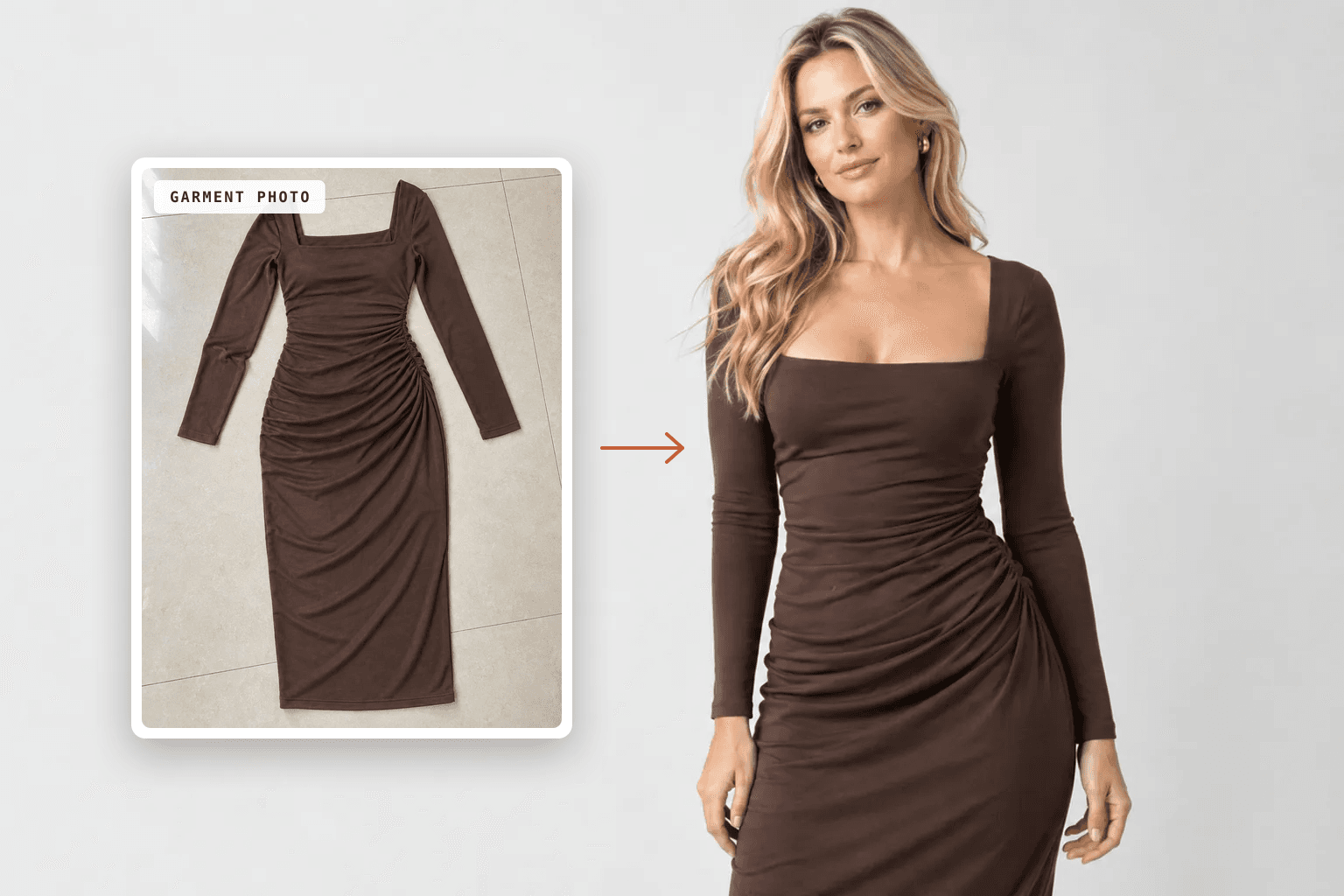
Short answer: an AI model for a clothing brand is a virtual person that an app generates to wear your real garments. You upload a flat lay, hanger or mannequin photo, choose a model and a scene, and the app renders the garment worn, keeping its fit, drape, color and details. The best app for this in 2026 is ApparelAI, which is built only for clothing and lets you save one model and reuse it across your whole catalog. For products that don't need to be worn, like skincare, candles or packaged goods, a general AI product photo generator is the better fit.
Shoppers buying clothes want to see them on a body. Booking a model, a photographer and a studio for every new style is out of reach for most small brands, which is why so many listings still show garments lying flat on a table. AI models close that gap. This guide covers how they work and how to use them well.
How an AI clothing model works
An AI clothing model app and an AI product photo generator look alike from the outside: one photo goes in, finished images come out. The difference is what each one is allowed to change.
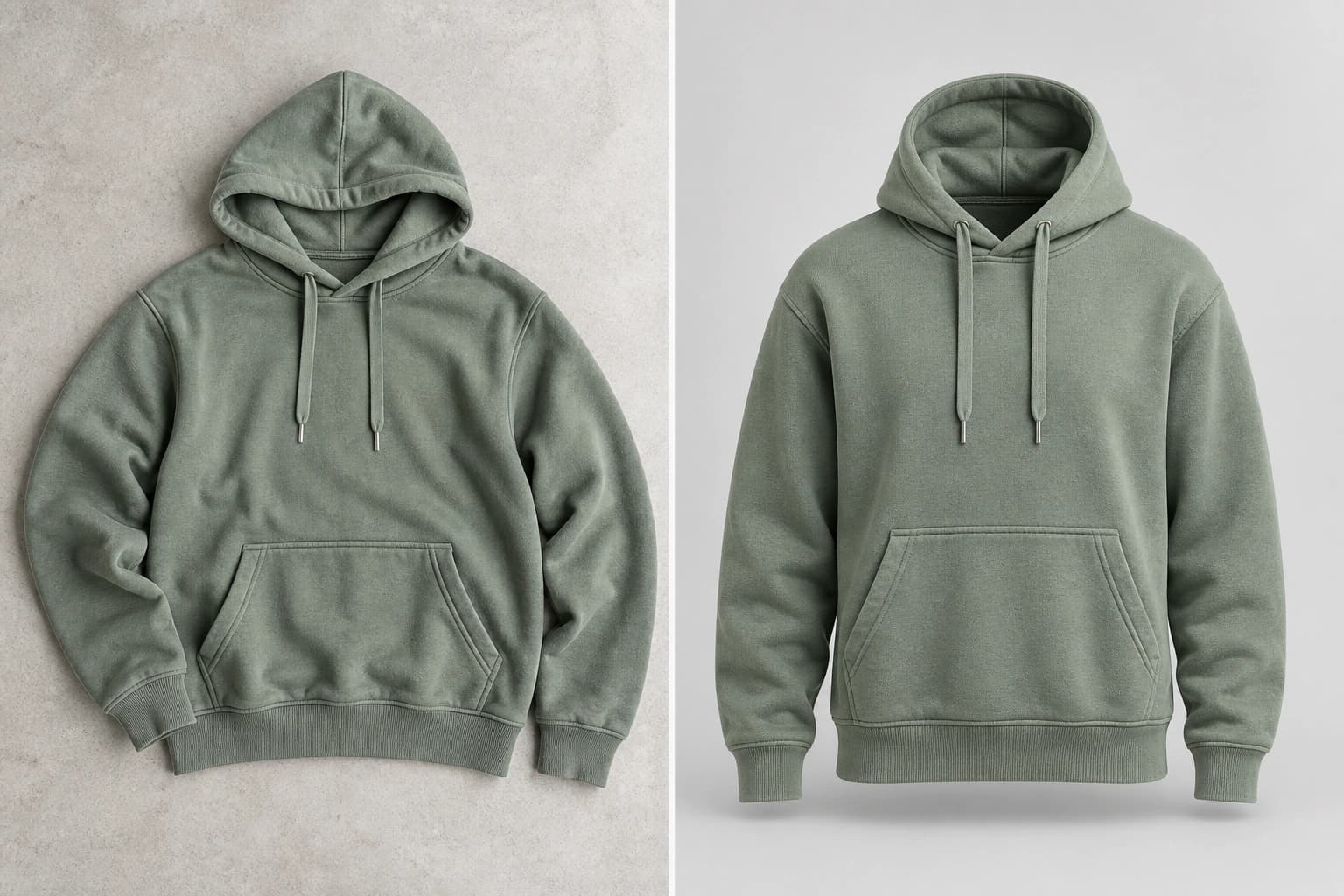
A product photo generator treats your product as fixed. It changes the background, surface, light and props around a bottle or a box, and hands back the exact product, better lit and properly staged.
An AI clothing model app has to change the product. A dress lying flat has no shoulders or waist, and none of the drape it gets when someone wears it. To show it worn, the app works out how the fabric falls on a body, where it creases, where the hem lands and how the neckline sits. Then it renders all of that while keeping the print, color and construction faithful to the garment you ship.
Why clothing needs its own AI tool
A few things make garments harder than hard goods:
- Fabric behavior. Jersey clings to the body and linen stands away from it, while denim mostly holds its own shape. Get the drape wrong and the image misrepresents the fit.
- Detail that has to survive. Prints, embroidery, buttons, pleats and topstitching all need to come through intact on a body that wasn't in the original photo.
- A recurring face. A clothing catalog reads as a brand when the same model appears across it.
- Formats that only exist for apparel. Invisible-mannequin shots, front and back views on a model, one piece in every colorway, and the same garment on different body types.
The best app for AI clothing models
ApparelAI is the app we recommend for clothing brands. It's built only for apparel, so the whole workflow is designed around garments instead of being added onto a general photo editor:
- Works from the photos you already have. Flat lays, hanger shots, mannequin photos and supplier images all work as inputs.
- 50+ AI models, or your own. Pick from a range of ages, body types and skin tones, build a custom model and save it, or shoot with photos of a real house model.
- Studio, street and lifestyle scenes. Or upload a reference photo and match its pose or background.
- Apparel tools included. Ghost mannequin, color variation for up to six colorways, an outfit builder and background tools.
- Video from the same shoot. Short listing videos, motion ads and UGC-style reels with the same model.
- Exports for where you sell. Sizes for Shopify, Amazon, Meta Ads and marketplaces like Myntra and Flipkart.
How to create an AI model for your clothing brand
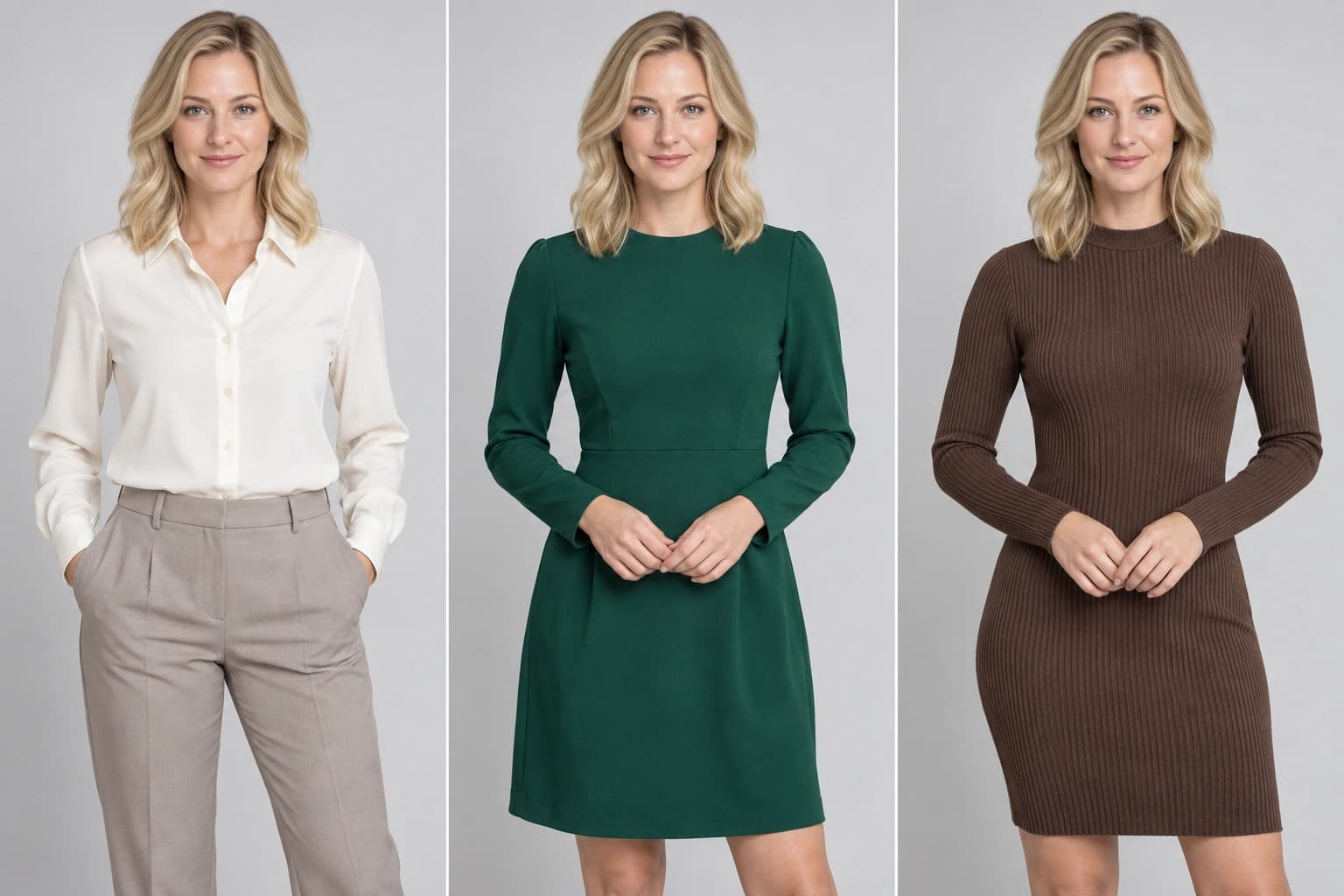
A brand model is a custom AI model you define once and reuse on every shoot, so every listing shows the same face:
- Match your real customer. Choose the age, body type and style of the people who buy from you rather than a generic default.
- Save the model and use it for every product in a collection.
- Keep the rest consistent too. A small set of poses, one lighting family and the same crop make a grid of listings look like one brand.
- Add a second model only for a reason, like a size-inclusive range or a separate menswear line.
For the full walkthrough, see how to put clothes on an AI model.
Can you use an AI model for free?
Yes, for testing. ApparelAI has a free plan with 3 credits a month and no card required, which is enough to run a garment through a shoot and judge the quality on your own products before paying. Paid plans add more monthly credits for full catalogs.
What to check before you publish AI model photos
- Color against the real garment. Compare the image with the piece in daylight. A color shift is a fast route to returns.
- Fit that tells the truth. The garment should hang on the model the way it does in real life, never slimmer, longer or more structured.
- Details at full zoom. Prints, embroidery, buttons, logos on the garment and the hemline.
- Hands and accessories. These are where image models most often slip. Fix them with a targeted edit rather than a full reshoot.
- Marketplace rules. Some marketplaces have category rules for how clothing must be shown, so check the style guide for each channel you sell on.
When you don't need an AI model
Ask one question of each product: does a shopper need to see it worn to decide?
- Yes: dresses, tops, shirts, trousers, outerwear, knitwear, activewear, swimwear, and ethnic wear like sarees and kurtas. Use an AI clothing model app like ApparelAI.
- Sometimes: shoes, hats, scarves, bags and jewelry. On-model images help with scale and styling, but an object shot sells most listings.
- No: skincare, candles, food, electronics and anything else that sits on a shelf. Use an AI product photo generator like BrandShots, which keeps your exact product and builds white-background heroes, lifestyle scenes, social posts and ads around it. Amazon sellers can see the full seven-image listing stack.
Disclosure: ApparelAI and BrandShots are both made by BaruzoTech.