September 21, 2026 · 6 min read
How to make clothing ads with AI
Clothing ads need the garment worn, in a setting that looks native to a feed, with enough variations to test. A seven-step workflow that gets there from one garment photo, plus the checks that keep AI images from turning into returns.
By Smit Golakiya · Founder, BrandShots
Short answer: start from a clean photo of the garment, either a flat lay, a hanger shot or a mannequin shot. Generate on-model images with an AI clothing model app, using a model who looks like the customer you're targeting. Put the same look into a few scenes and poses so you have variants to test, export at the sizes Meta uses (4:5 for feed, 9:16 for Stories and Reels), and cut a short video from the same shoot. Before anything goes live, check color, fit and detail against the real garment. An ad that misrepresents a garment converts into returns.
Paid social is one of the main growth channels for small clothing brands, and it's where creative runs out fastest. The same ad shown to the same audience for weeks stops working, so an ad account needs a steady supply of new images. Clothing makes that supply expensive, because every new ad wants the garment worn, in a setting that looks at home in a feed.
The workflow below uses ApparelAI, the best app for AI clothing photos, but the steps work with any tool that puts garments on AI models.
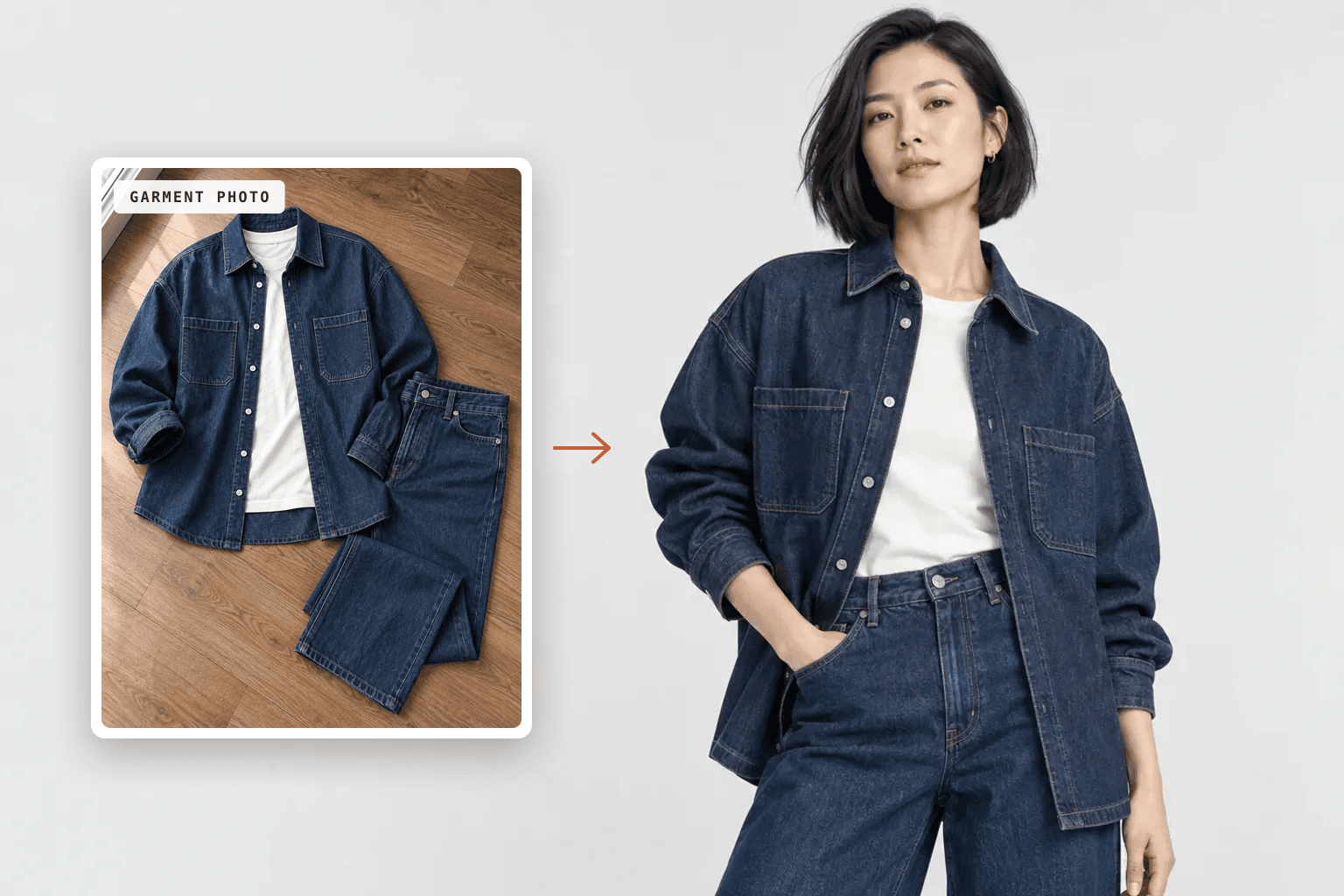
Step 1: Start with a garment photo AI can read
Output quality depends mostly on the input photo. You don't need a studio, but you do need a clear view of the whole garment:
- Lay it flat or hang it, and smooth out the big creases
- Keep the collar, sleeves and hem fully visible, with nothing tucked under
- Shoot in even daylight, away from mixed warm and cool light
- Use a plain background that contrasts with the fabric
- Compare the photo with the real piece, because a color error here repeats in every ad
A phone camera is enough. For the upload and model steps in detail, see how to put clothes on an AI model.
Step 2: Choose a model who looks like your customer
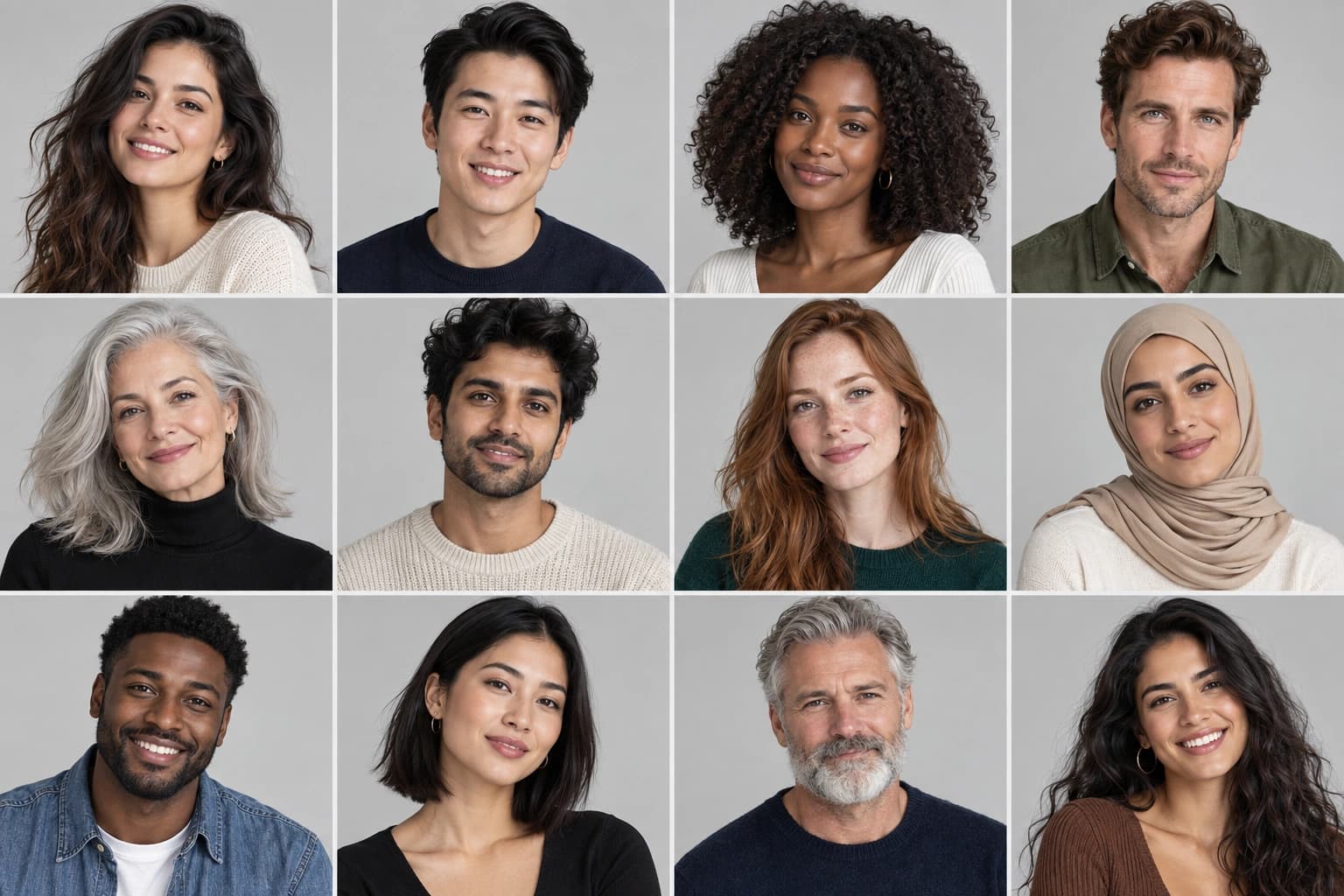
Ads are targeted, and the model is the first thing a shopper compares against themselves. If you sell to women in their forties, a 22-year-old model tells that audience the clothes weren't cut for them. Match age, body type and style to the people you're paying to reach.
Keep one primary model per campaign so the ads read as one brand. Add a second when you're testing a second audience, or when showing the garment on different body types is the point of the ad. In ApparelAI you can pick from 50+ models, build a custom model and save it, or shoot with photos of a real person, such as a house model or a creator you work with, as long as they consent.
Step 3: Build variants that test one thing at a time
A test only teaches you something when the variants differ in one way. Hold the garment, the model and the lighting steady, and change a single variable per round:
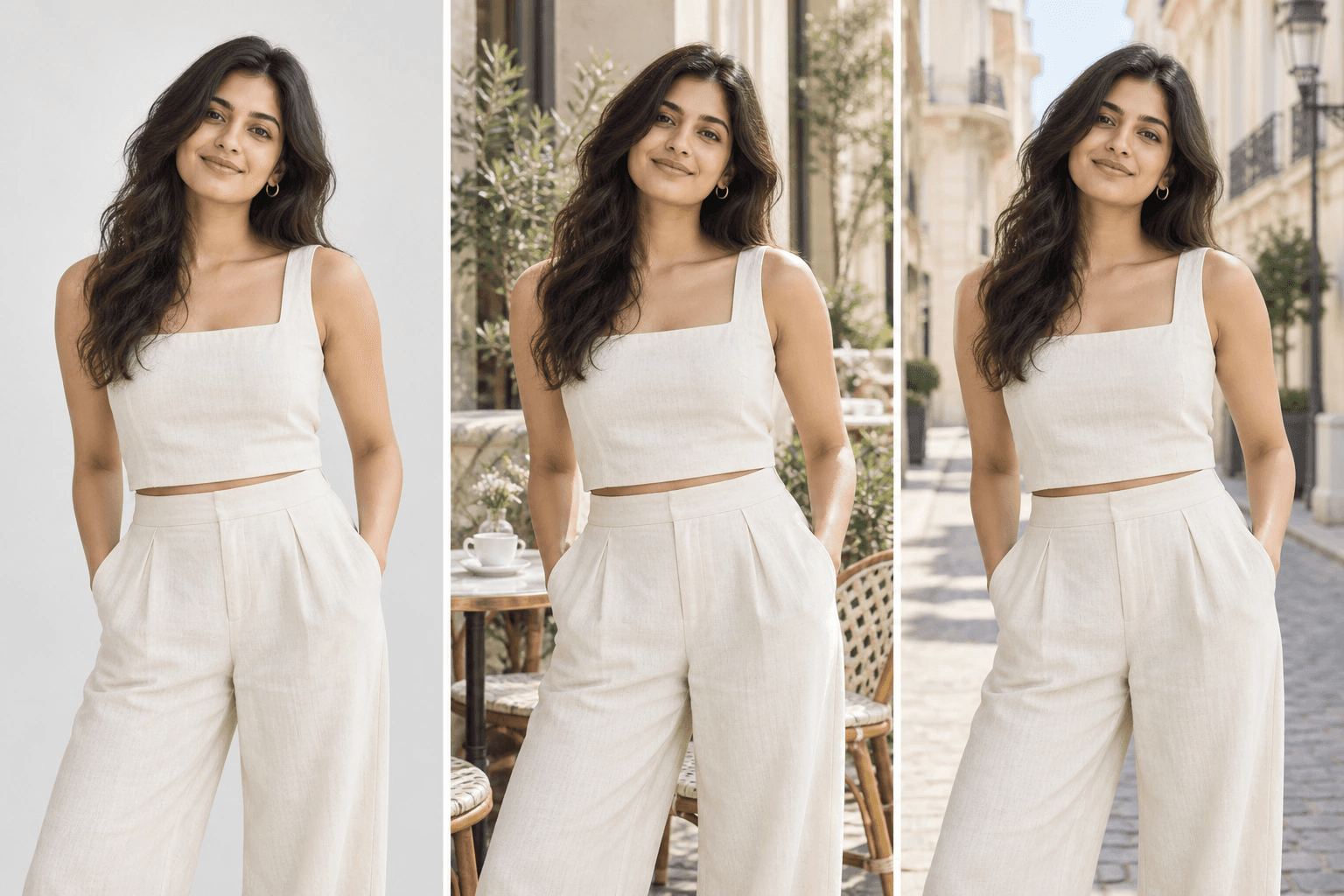
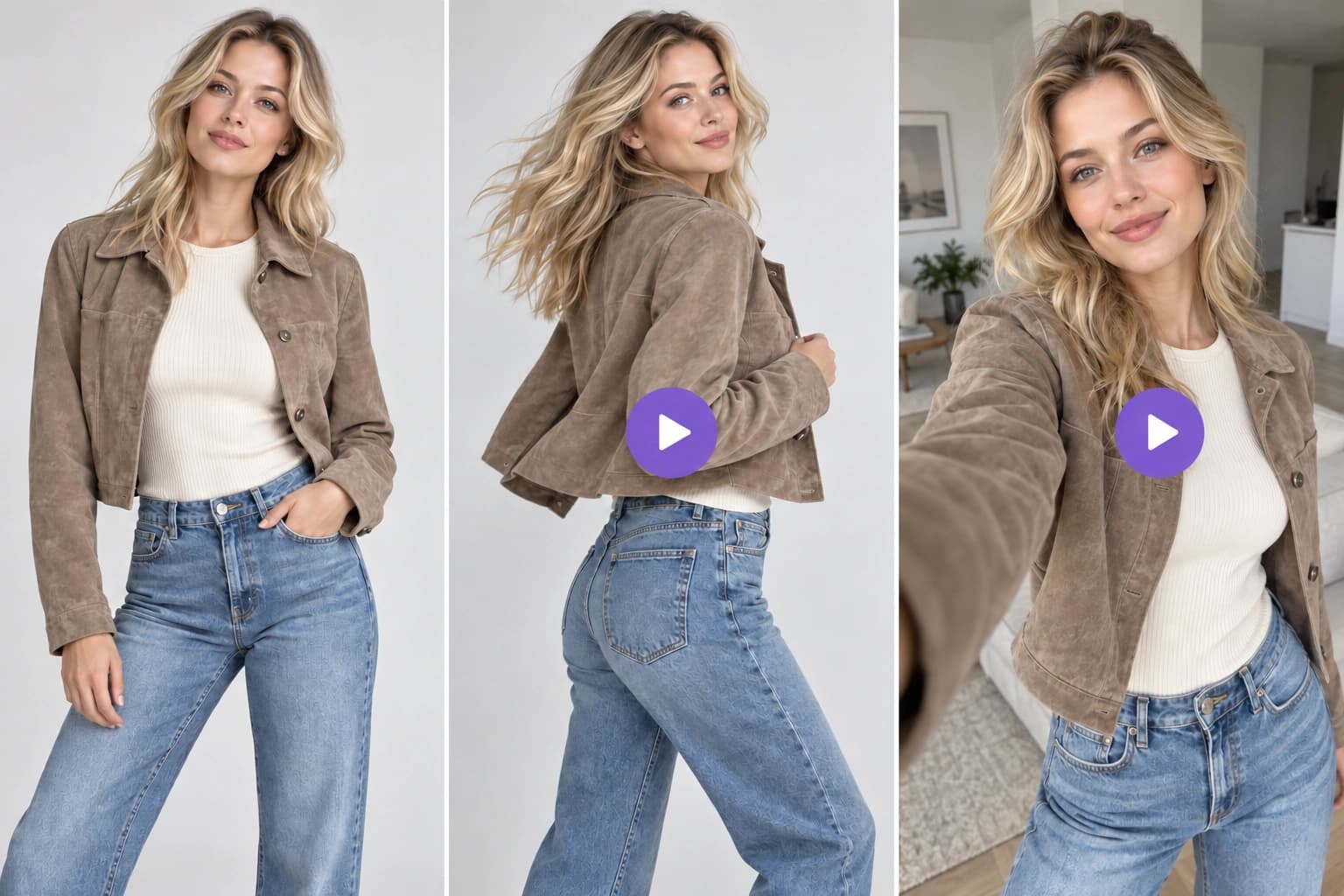
- Scene. A clean studio reads as catalog, while a café terrace or a street reads as native to the feed. The image at the top of this post is one look in three scenes.
- Pose and framing. Use full-length shots for fit and close crops for fabric. A three-quarter crop sits between the two.
- Colorway. If the piece comes in several colors, render them from one photo instead of shooting each. ApparelAI's color variation tool does up to six at once.
- Model. Change it only when you're testing two audiences against each other.
Once the garment is uploaded and the model is saved, a new variant is a new scene or pose. There's no second shoot to book.
Step 4: Size for the placements you buy
Generate at full resolution and leave room around the subject, so each crop keeps the feet and hem in frame:
- Feed on Facebook and Instagram: 4:5 vertical (1080 × 1350) takes the most screen space, and 1:1 (1080 × 1080) runs across the most placements.
- Stories and Reels: 9:16 (1080 × 1920). Keep the face and any text away from the top and bottom edges, where the app's own buttons and captions sit.
ApparelAI exports images sized for Meta Ads, Shopify and the main marketplaces, so the ad and the product page can share the same set.
Step 5: Add motion
Reels and Stories are built around video, and a garment moving on a body shows drape in a way a still can't. You don't need a separate video shoot. ApparelAI's AI video generator turns a finished photoshoot into 5- to 15-second clips, including listing videos, motion ads and creator-style UGC reels, in 9:16, 1:1 or 16:9.
Before launch, check Meta's current rules for labeling AI-generated or AI-edited ads. They have changed more than once and differ by ad category.
Step 6: Write copy that qualifies the click
The image earns the pause in the feed, and the first line of copy decides who clicks. Lead with what a shopper can't see in the image, such as fabric weight, fit or the occasion it's for. Then send the click to a product page that uses the same on-model images, so people land on exactly what they saw in the ad.
If the campaign also includes products that aren't clothing, such as jewelry, bags or gift sets, an AI product photo generator like BrandShots builds those creatives and writes the ad copy with your brand kit applied, so both halves of the campaign look like one brand. For help deciding which tool fits which product, see AI model for clothing brands.
Step 7: Check every image before it runs
AI makes volume cheap, but every image still needs a human check before it runs:
- Color. Compare it with the physical garment in daylight. Color that doesn't match is one of the most common reasons clothing gets sent back.
- Fit. The garment should hang the way it does in real life. Don't let it look slimmer, longer or more structured than it is.
- Details. Prints, embroidery, buttons and any logo on the garment should match the real piece.
- Hands, feet and accessories. These are where image models still slip. Fix them with a targeted edit instead of regenerating the whole image. ApparelAI's Refine changes only what you describe and leaves the rest identical.
Keeping the ads fresh
When frequency climbs and click-through rate starts to fall, the audience has seen the creative too often. With the garment uploaded and a model saved, the next round of variants comes from the same inputs, so a refresh takes an afternoon rather than a new shoot.
ApparelAI has a free plan with no card required. That's enough to run one garment through steps 1 to 3 and judge the results on your own product before you put money behind an ad.
Disclosure: ApparelAI and BrandShots are both made by BaruzoTech.