
October 20, 2026 · 5 min read
eBay picture requirements and photo size (2026)
eBay is relaxed about backgrounds and strict about honesty. The photo sizes eBay asks for, the 24 photo limit, the formats it accepts, and the picture policy rules on stock photos, borders and watermarks that can get a listing removed.
By Smit Golakiya · Founder, BrandShots
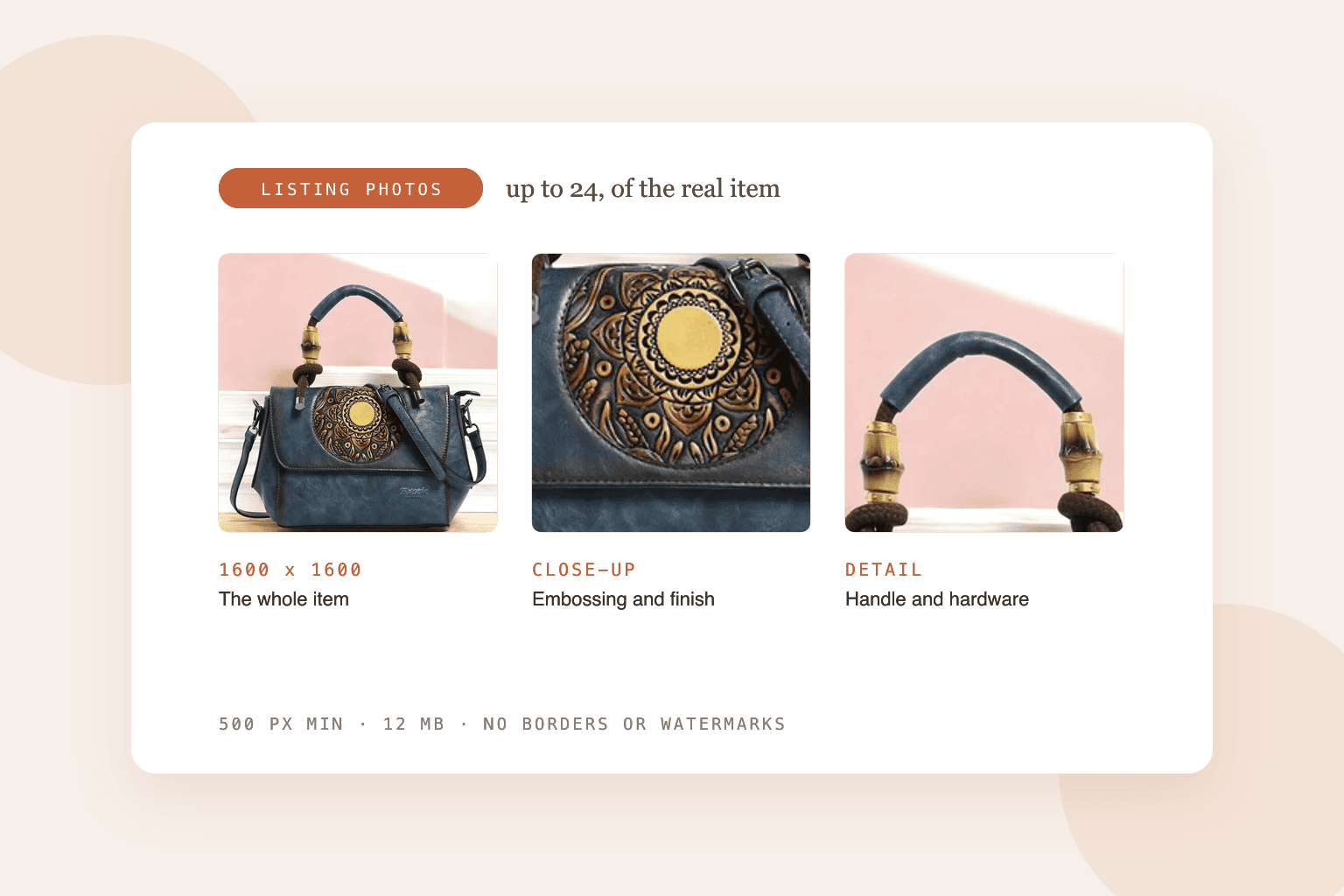
Short answer: every eBay listing needs at least one photo that's 500 pixels or more on the longest side, and eBay recommends 1600 x 1600 pixels so buyers can zoom. Photos can be up to 12 MB each, in JPEG, PNG, WebP, HEIC and most other common formats, and you can add up to 24 per listing. eBay's picture policy bans borders, added text, watermarks and placeholder images, and you can't use stock photos for used or damaged items.
eBay is looser than Amazon or Walmart about how a photo looks. There's no required white background and no fill percentage. What eBay polices is whether the photo honestly shows the item the buyer will get, and that's where most listings run into trouble.
eBay photo specs at a glance
- Minimum: 500 pixels on the longest side. This is a policy requirement.
- Recommended: 1600 x 1600 pixels. Larger photos are accepted but eBay scales them down.
- File size: up to 12 MB per photo.
- Formats: JPEG, PNG, GIF, TIFF, BMP, WebP, HEIC and AVIF.
- Aspect ratio: square (1:1) or 16:9 display best.
- Photos per listing: up to 24.
If you shoot on a recent phone, your photos are already well over 1600 pixels, so the size rules are easy. The rules about content need more care.
What eBay's picture policy doesn't allow
These come straight from eBay's picture policy, and breaking them can get a listing removed:
- Borders of any kind added around the photo
- Added text, artwork or marketing material, like "free shipping" banners or sale stickers
- Watermarks, including your own store name or a copyright mark
- Placeholder images in place of a real photo
- Photos that don't accurately show the item, including ones of a different variant or a better example of the same product
- Stock photos for used, damaged or defective items
eBay also points out that photos with added text or logos can be dropped from third-party search results, like Google Shopping. So even where an overlay is technically allowed, it costs you visibility.
Stock photos: when you can use them
The rule is simple for used items: photograph the one you're selling. Buyers want to see the actual scratches, wear and condition, and eBay requires it.
For brand-new, sealed items, eBay's catalog often supplies a product photo. Even then, adding a few of your own photos of the actual box helps, because buyers on eBay trust seller photos more than catalog images.
Background and lighting
eBay doesn't require a white background. Its own advice is that plain white is always a safe choice, and that a darker background can suit shiny things like jewelry and watches.
What matters more than the color:
- Keep it plain. No clutter, no other items that might look like they're included.
- Use soft, even light. A window on an overcast day beats a flash, which eBay specifically warns against.
- Fill the frame so the item is easy to see in the search results thumbnail.
- Don't use filters. They change the color, and color complaints lead to returns.
Our phone photography guide walks through a cheap window setup, and the white background guide covers getting the backdrop to read clean white.
What to put in 24 photos
You don't need all 24, but more is better on eBay, especially for used items. A strong set:
- the front, the back and both sides
- the label, model number or serial number
- close-ups of any flaws, marks or wear (this prevents "not as described" returns)
- the item in use or worn, for scale
- everything included: box, cables, manuals, accessories
- measurements, with the item next to a ruler or tape
AI photos and eBay's own AI tools
eBay's picture policy doesn't have a separate rule for AI images. The accuracy rule covers them: the photo has to show the item as it is.
eBay itself offers AI tools in its app that remove the background, put the item on a plain studio color, or generate a scene behind it. eBay suggests using generated scenes for only a few of your photos. That's sensible advice. Keep the item itself untouched, show it on a clean background for the main photo, and use the rest of your 24 photos for real angles and details.
BrandShots follows the same principle: it starts from your actual product photo, keeps the product as photographed, and builds the clean main image and lifestyle shots around it. A 2K download (2048 x 2048) is comfortably above the 1600 pixels eBay recommends.
What size should eBay photos be?
At least 500 pixels on the longest side, and ideally 1600 x 1600. At 1600 pixels buyers can zoom in on detail, which matters most for used items.
How many photos can I add to an eBay listing?
Up to 24. Use as many as it takes to show every side of the item and any flaws.
Can I put my logo or a watermark on eBay photos?
No. eBay's picture policy bans watermarks of any kind, including ownership marks, and bans added text and borders.
Does eBay require a white background?
No, but eBay recommends a plain background, and white is the safest choice.
Can I use stock photos on eBay?
Not for used, damaged or defective items. Those need photos of the actual item. For new items a catalog photo is allowed, but your own photos build more trust.
Common mistakes
- One photo only. It meets the rule and loses the sale. Buyers scroll past listings with a single image.
- Hiding flaws. It leads straight to "not as described" returns and feedback.
- Store name watermarks. They're banned, even though many sellers still use them.
- Heavy filters or warm lighting. The buyer gets a different color than they saw.
- Clutter in the frame. If it's in the photo, buyers assume it's included.
Selling on several marketplaces? Compare these rules with Amazon, Walmart and Etsy.