
October 20, 2026 · 5 min read
Walmart product image requirements and size (2026)
Walmart raised its zoom minimum to 1500 pixels and most guides still quote the old number. The current rules from Walmart's own image guide: the 2200 pixel square, the white background, the file limits, and what gets an item unpublished.
By Smit Golakiya · Founder, BrandShots
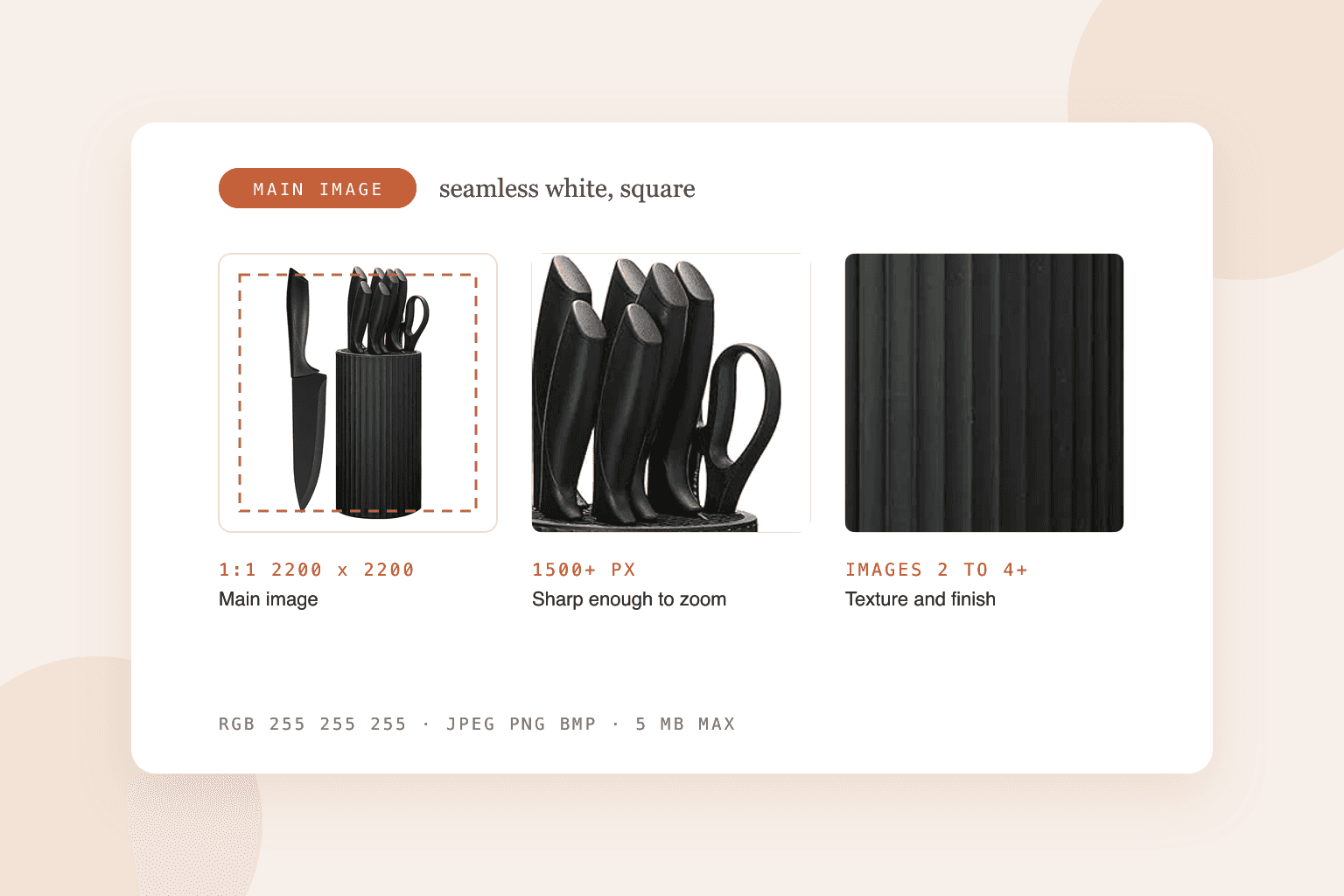
Short answer: Walmart wants square product images at 2200 x 2200 pixels, and at least 1500 x 1500 pixels if you want zoom to work. Files can be JPEG, PNG or BMP (not GIF), in RGB, up to 5 MB each. The main image goes on a seamless white background (RGB 255, 255, 255) with no watermark, logo, seller name or accessories that don't come in the box. Walmart recommends at least four images per listing, and stock photos aren't allowed.
These numbers come from Walmart's Marketplace Learn image guide, last updated in May 2026. Many guides online still say 1000 pixels is the minimum for zoom. That was the old US figure, and Walmart Canada still uses it, but the US page now says 1500.
Walmart image specs at a glance
- Recommended size: 2200 x 2200 pixels
- Minimum for zoom: 1500 x 1500 pixels
- Aspect ratio: 1:1 square
- File size: 5 MB maximum
- Formats: JPEG, JPG, PNG or BMP. GIF is not accepted.
- Color: RGB, 8 bits per channel
- Swatch images: 100 x 100 pixels, for items with color or pattern variants
- File name: Walmart suggests including the item's 14-digit GTIN
Walmart also says not to upscale small images to hit the size. A 900 pixel photo stretched to 2200 still looks like a 900 pixel photo, just bigger and softer.
Rules for the main image
The main image is the one shoppers see in search results, so it carries the strictest rules:
- A seamless white background. Large items like furniture or grills can be shown in a setting where you'd expect to find them.
- Crop close. Walmart asks you to fill the frame and avoid extra background. It doesn't publish a fill percentage, so the "85% fill" figure you'll see quoted is Amazon's rule, not Walmart's. Filling most of the square is still a sensible target.
- No watermarks, seller names or logos, and no accessories or props that aren't part of the purchase.
- In focus and professionally lit. A phone photo is fine if it's sharp and evenly lit. Our phone guide covers the setup.
Rules for every image
These apply to the main image and all the secondary ones:
- Each image has to match the product name, type and key attributes. A blue variant can't show the red one.
- Every image must show the product or one of its features. Images that say "sold out" or "out of stock" are not allowed.
- No promotional language or claims, such as "best seller" or "50% off".
- No Walmart logo, and no other retailer's or marketplace's name or logo either.
- Text in images has to be in English.
- No duplicate images in the same listing.
- No images that describe condition, like "grade A" or "refurbished". Condition belongs in the listing fields.
Pre-owned, remanufactured and "new with defects" items need real photos of the item being sold.
What to put in images 2 to 4 and beyond
Walmart recommends at least four images, and some product types reject a listing with fewer. The official guide doesn't set a format for secondary images, so the same mix that works on other marketplaces works here:
- the back or the label, so ingredients and specs are readable
- a close-up of the texture, finish or detail that justifies the price
- the product in use, or in a room, so shoppers can picture it at home
- a scale shot next to a hand or a familiar object
If you also sell on Amazon, you can reuse most of the same set. Amazon is stricter on the main image (its requirements include an 85% fill rule), so a main image that passes Amazon will usually pass Walmart too.
Can you use AI images on Walmart?
Yes, with the same condition Walmart puts on all content: AI images have to be accurate, truthful and not misleading, and you need the rights to them. Walmart doesn't ban AI imagery and doesn't ask you to label it.
In practice that means the product in the image has to be your real product. Putting your actual product photo into a new scene or on a clean background is fine. Generating a version of the product that doesn't exist, or one with features it doesn't have, breaks the "not misleading" rule. Our post on Amazon's AI policy goes into where that line sits, and the same logic applies on Walmart.
BrandShots works this way: it starts from your own product photo and keeps the product as photographed, then builds the white background main image and the lifestyle shots around it. Download at 2K (2048 x 2048) to clear Walmart's 1500 pixel zoom minimum, or 4K to meet the full 2200 pixel recommendation.
Image hosting and URLs
If you upload in bulk by URL, Walmart is picky about links:
- The URL must be public and end in an image extension like .jpg or .png.
- No query strings, no HTML pages and no unencoded special characters.
- Dropbox links don't work. Most Amazon image URLs do.
Walmart's own image hosting avoids all of this if you'd rather upload files directly.
What size should Walmart product images be?
2200 x 2200 pixels, square. Anything below 1500 x 1500 won't get zoom on the product page.
Does Walmart require a white background?
For the main image, yes: seamless white. Large items can be shown in a natural setting instead. Secondary images can use any background.
Does Walmart allow GIFs?
No. Use JPEG, PNG or BMP.
Does Walmart allow stock photos?
No. Walmart asks for images of the actual product.
Why was my Walmart listing unpublished over images?
Usually because of a placeholder image that was never replaced, a promotional badge or price on the image, another retailer's logo, or an image that doesn't match the variant listed. Fix the image, resubmit, and check the item's content quality score in Seller Center.
Common mistakes
- Quoting the old 1000 pixel minimum. Export at 2200 so zoom works with room to spare.
- Badges and banners on the main image. "New", "bestseller" and discount stickers all count as promotional.
- One photo for every variant. Each color needs its own images and a swatch.
- Upscaled images. If the original is small, reshoot rather than enlarge.
- Copying Amazon's images without checking the text. An image mentioning Amazon or Prime breaks Walmart's no-other-retailer rule.
Selling on more than one marketplace? Compare these rules with Shopify, Etsy and TikTok Shop.